You can narrow a projector search surprisingly quickly by answering one question: where will you watch most often? A rear shelf facing a movie screen, a console beside the sofa, and a bedside table all lead to different choices. Resolution matters, but so do the position of the lens, the way you start watching, and the equipment you already own.
For US retailers, these are also useful starting points for a small, understandable lineup. Explain which setup each model suits. A customer should be able to choose between a movie-room setup, gaming-focused viewing, and something easy to reposition without having to compare every specification themselves.
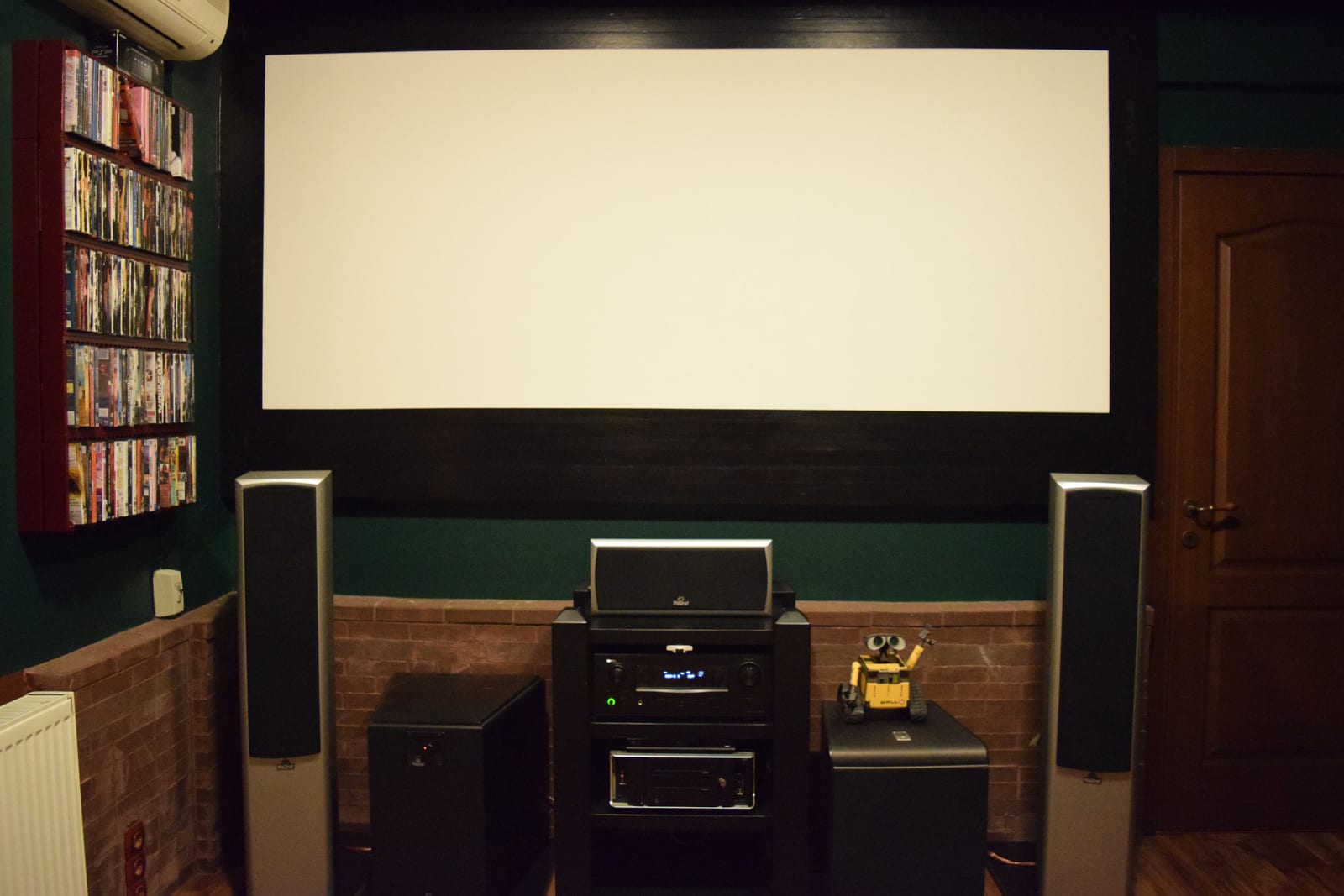
Movie viewing involves the whole room: the screen, seating, and sound all shape the experience. Photo: Georgefromistanbul / Wikimedia Commons, CC BY-SA 4.0. Resized and compressed for web display; full image retained.
Start with the setup you want to live with
Imagine finishing a long day and sitting down to watch a movie. If your player, speakers, and screen are already in place, you probably want a projector that fits the room and works with that equipment. An extra entertainment interface may add less value than the ability to position the picture properly.
Now consider a bedroom where the projector comes out only when you use it. Repeated setup becomes part of the experience. Where does the power cable run? Can you aim the picture comfortably? Is the remote easy to reach? Those details deserve as much attention as the image you see in a promotional photo.
Gaming adds another decision. Some buyers want the detail of a 4K image; others place more weight on the quickest available response. Ask which console or computer will be connected and what games they play before comparing response figures.
| Your main use | A model worth exploring | What to settle first |
|---|---|---|
| A movie room with an existing screen | Epson Home Cinema 3800 | Whether its lens position and adjustment range fit the room |
| Console or PC gaming | BenQ X3100i | The resolution and refresh rate you will actually use |
| Bedroom or ceiling viewing | BenQ GV50 | Placement, power, and the steps needed to start watching |
For a movie room, check placement before adding features
The Epson Home Cinema 3800 combines 4K PRO-UHD imaging with manual optical zoom and horizontal and vertical lens shift. Its listed throw ratio is 1.32–2.15. These are useful specifications when the screen is fixed and you have a limited choice of shelf or mounting positions.
Begin with the intended image width and the distance from the lens to the screen. Then check how high and how far to the side the lens will sit. Bring those measurements to a demonstration or installation discussion. A projector that looks appealing on a spec sheet can become an awkward choice if it requires moving furniture you intended to keep.
Epson's Home Cinema 3200/3800 setup instructions show separate controls for zoom, focus, and image position. Try those adjustments with the picture size you plan to use. Include subtitles or a familiar movie scene so you can judge the result from your normal seat.
If an external player and audio system are already part of your setup, use them in the demonstration. That gives you a much better sense of everyday operation than watching a different source through the showroom's sound system.
For gaming, compare the complete signal mode
The fastest response figure often belongs to a particular combination of resolution and refresh rate. The BenQ X3100i specifications make that distinction clear: BenQ lists 4.2 ms at 1080p/240 Hz, 8.3 ms at 1080p/120 Hz, and 16.7 ms at 4K/60 Hz. It also lists 8.3 ms for a 2K/120 Hz input, with downscaling to 1080p/120 Hz.
Those manufacturer figures describe different operating conditions. If your priority is 4K/60 Hz, the relevant listed figure is 16.7 ms. A 2K/120 Hz input should not be mistaken for a 2K image at that refresh rate when the specification explicitly describes downscaling.
Before a demo, check the source's output settings and choose a game you know well. Note the projector's selected picture and gaming modes. If you normally connect through other AV equipment, include that equipment too. The aim is to try the system you will use at home, with a clear understanding of the picture and response settings involved.
For a retailer, this also makes the sales conversation easier. Instead of leading with the lowest number, ask whether the customer values 4K detail, a faster lower-resolution mode, or a particular console output. Explain the corresponding choice in one sentence.
For portable viewing, try the move as well as the movie
The BenQ GV50 is a 1080p laser projector with 500 ANSI lumens and a design intended for bedside and ceiling viewing. It offers a different starting point from a projector chosen around a fixed movie screen.
To compare this kind of product, start before the picture is on. Put the projector where you would normally store it, carry it to the viewing spot, arrange power, and aim the image. Then sit down and start the content. You will quickly notice whether the process feels convenient or whether an extra cable, remote, or adjustment gets in the way.
Keep portable, wireless, and smart playback separate in your thinking. Moving a projector easily does not explain how it receives a movie. A Wi-Fi connection does not tell you which entertainment services you can watch. Try the actual phone, player, or built-in interface you intend to use, including any sign-in steps.
If watching away from a wall outlet matters, check the exact power arrangement and operating conditions. Include the power equipment, cables, and any external player when deciding what you are willing to carry.
Build a retail lineup that customers can understand
A useful assortment gives buyers a few meaningful choices rather than several versions of the same promise. For each model, connect a feature to something the customer can see or do.
| Customer question | A helpful demonstration | Detail to explain clearly |
|---|---|---|
| Will it fit my movie room? | Set the intended image size and show the placement adjustments | Screen width and lens position |
| How does it handle my games? | Use the customer's source and preferred output | Resolution, refresh rate, and game mode |
| Can I watch from bed? | Move and position it, then start familiar content | Power, aiming, playback, and controls |
| Will my phone work with it? | Connect that phone and play the intended content | Connection method and any extra equipment |
For a private-label range, use these same questions to shape the product brief. Include the sales channel, intended customer, estimated quantity, and functions that matter most. Our projector sample checklist can help organize the hands-on evaluation. For the next stage, see our US guide to choosing a projector manufacturing partner.
Have a lineup in mind? Discuss your projector requirements with us. Tell us who you sell to, how they will use the projector, and the quantity you are considering.
Frequently Asked Questions
What should I decide before comparing projectors for a US home?
Decide where you will watch, how large the image should be, and which device will supply the content. Include your existing audio equipment and any limits on placement. These choices give you a much more useful shortlist than starting with resolution or a general “best projector” search alone.
Which X3100i response figure matters for 4K gaming?
BenQ lists 16.7 ms at 4K/60 Hz. The faster 4.2 ms figure applies to 1080p/240 Hz, while 8.3 ms applies to 1080p/120 Hz. Its listed 2K/120 Hz input is downscaled to 1080p/120 Hz. Match the figure to the output you intend to use.
Will Wi-Fi let me watch everything from my phone?
That depends on the projector, connection method, phone, and content. Try the service or file you actually want to watch rather than testing only a photo. Check whether you need an app, account, internet connection, or external player, and whether the controls are comfortable to use from your seat.
Is a ceiling-viewing model a good replacement for a fixed movie-room projector?
Consider the placement first. A ceiling-viewing design addresses a different viewing position from a projector aimed at a fixed screen. Check how the exact model creates the image where you need it, how you will supply power, and whether the everyday setup works with your room and source equipment.
What should I bring to a gaming projector demonstration?
Bring your console or computer if possible, a game you know, and the connection equipment you normally use. Choose the output settings before comparing models and note each projector's active mode. This helps you judge the intended setup without confusing a fast lower-resolution setting with a separate 4K mode.
How can a retailer give each model a clear role?
Describe the customer and the main task first: movie-room viewing, console gaming, or convenient bedroom use. Choose a demonstration that answers that customer's question. Then explain the relevant features and setup conditions. This makes the range easier to sell and helps buyers understand why they might choose one model over another.