It is so easy to set up step by step.
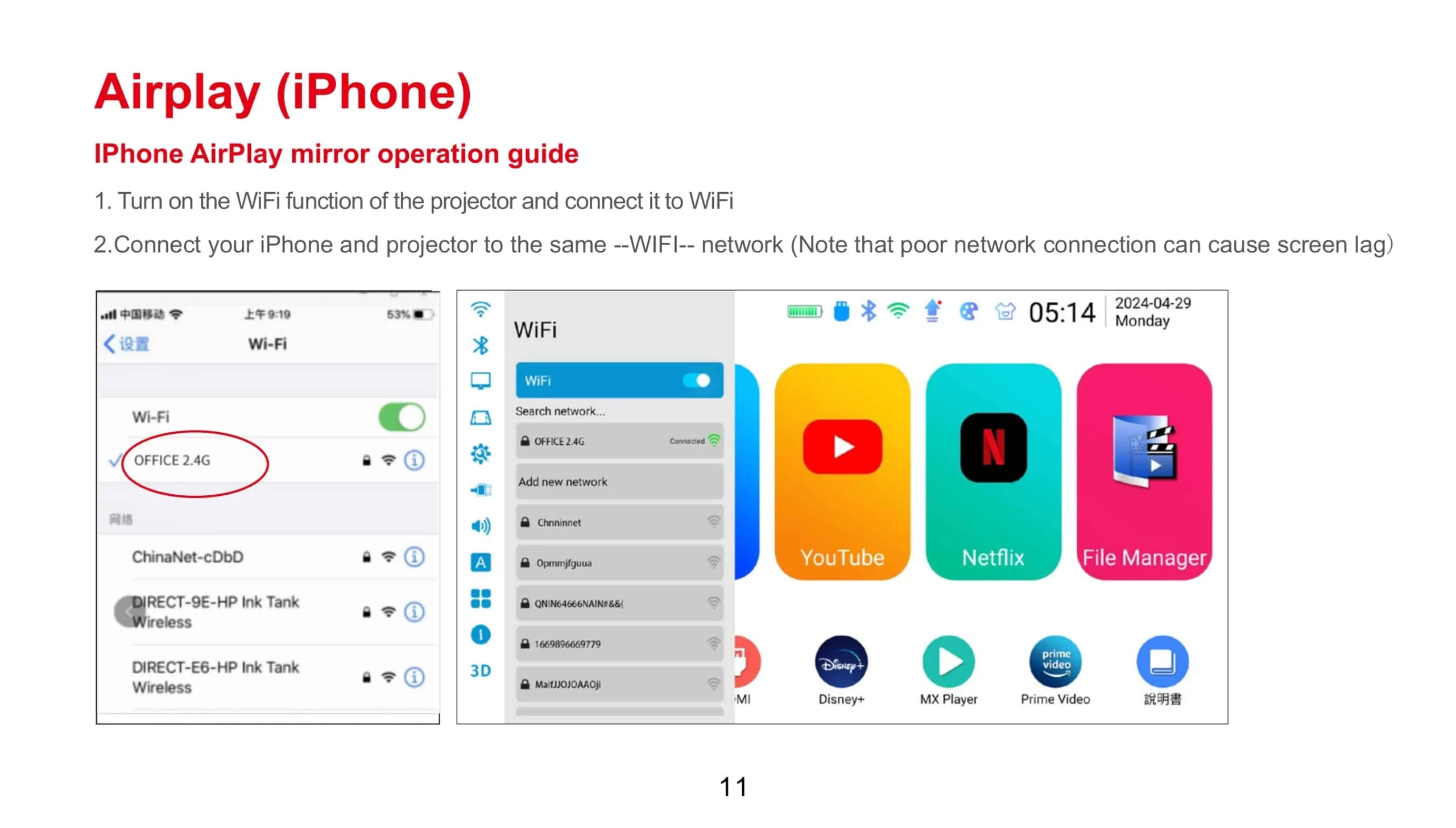
The detailed instruction below.
Let's take TOUMEI V6 as an example, Mirror the screen of HUAWEI P20 to V6.
Two points are very important:
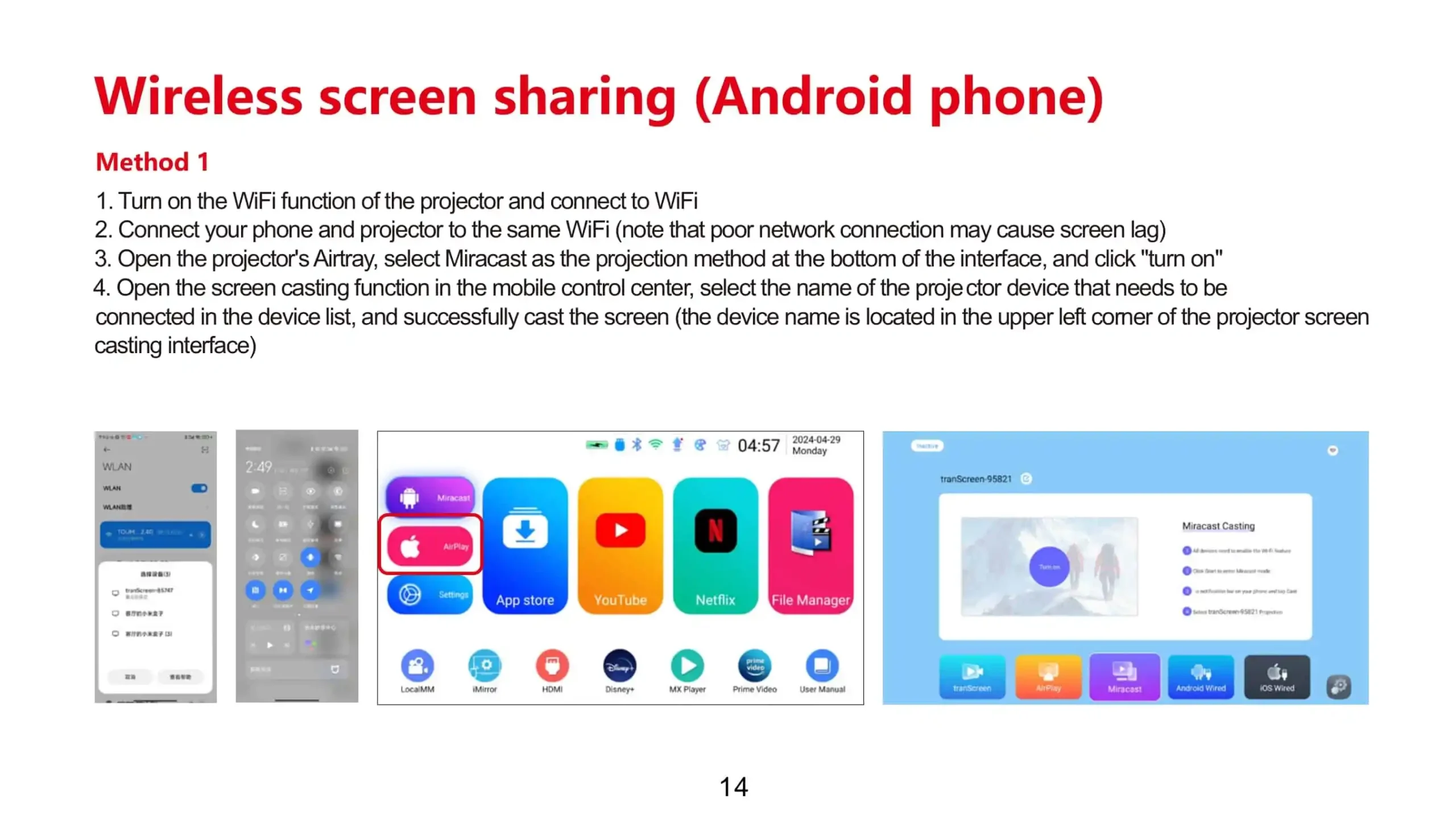
1) Make sure V6 and P20 all contacted to the same WiFi.
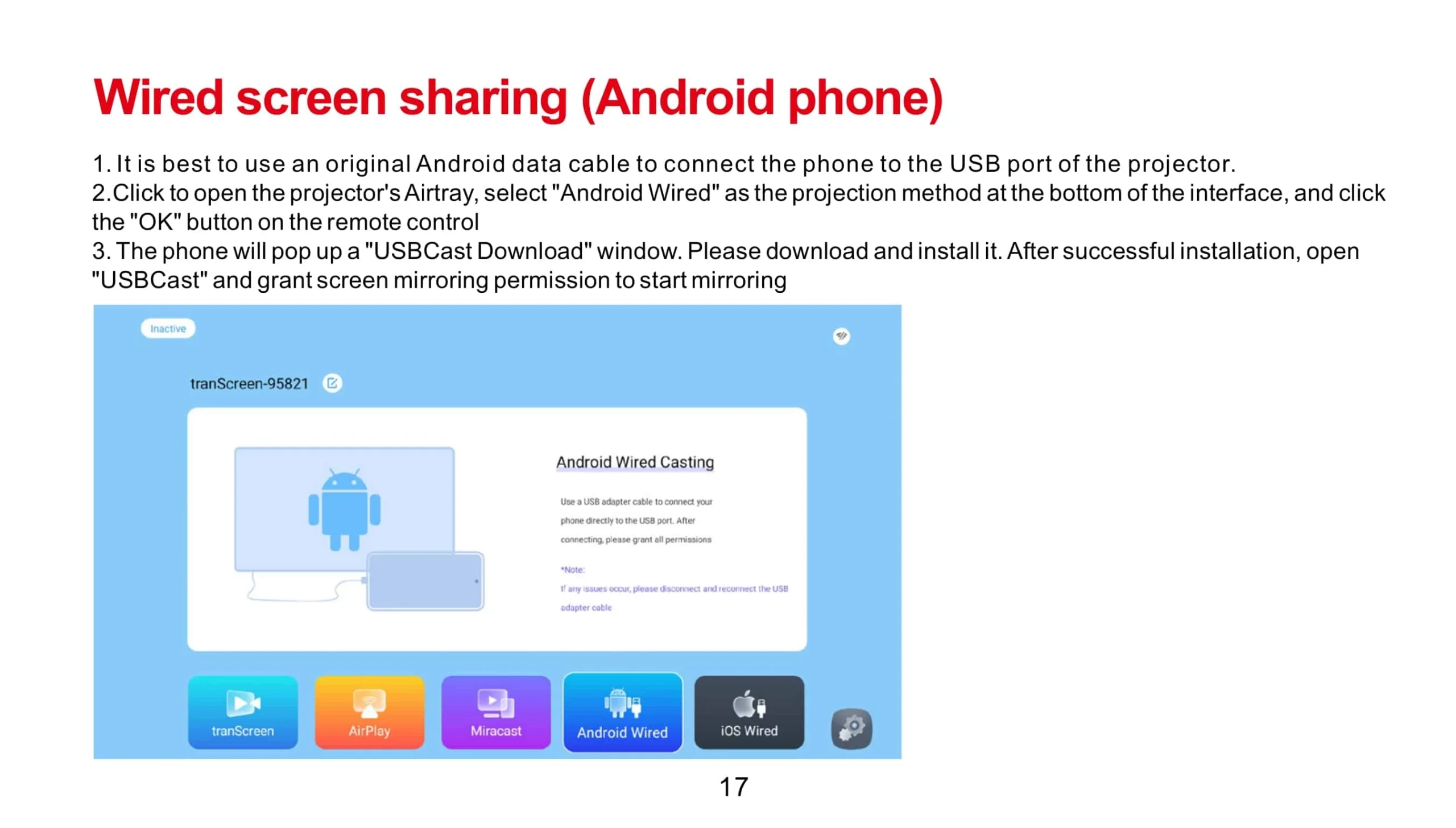
2) Make sure you have to download the app Happycast on your P20 and V6 already.
Step1,
Setting>WiFi>Choose the WiFi account>Enter the password of WiFi
V6 connected to WiFi
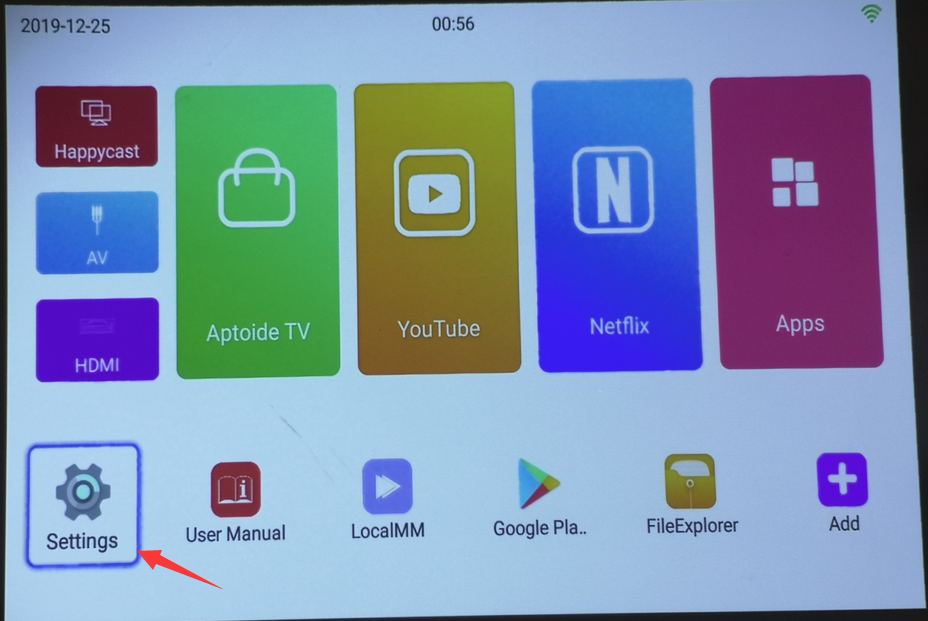


Step2,
P20 connect to the same WiFi as which V6 connected and make sure you download the app Happycast on P20 already.

Step3,
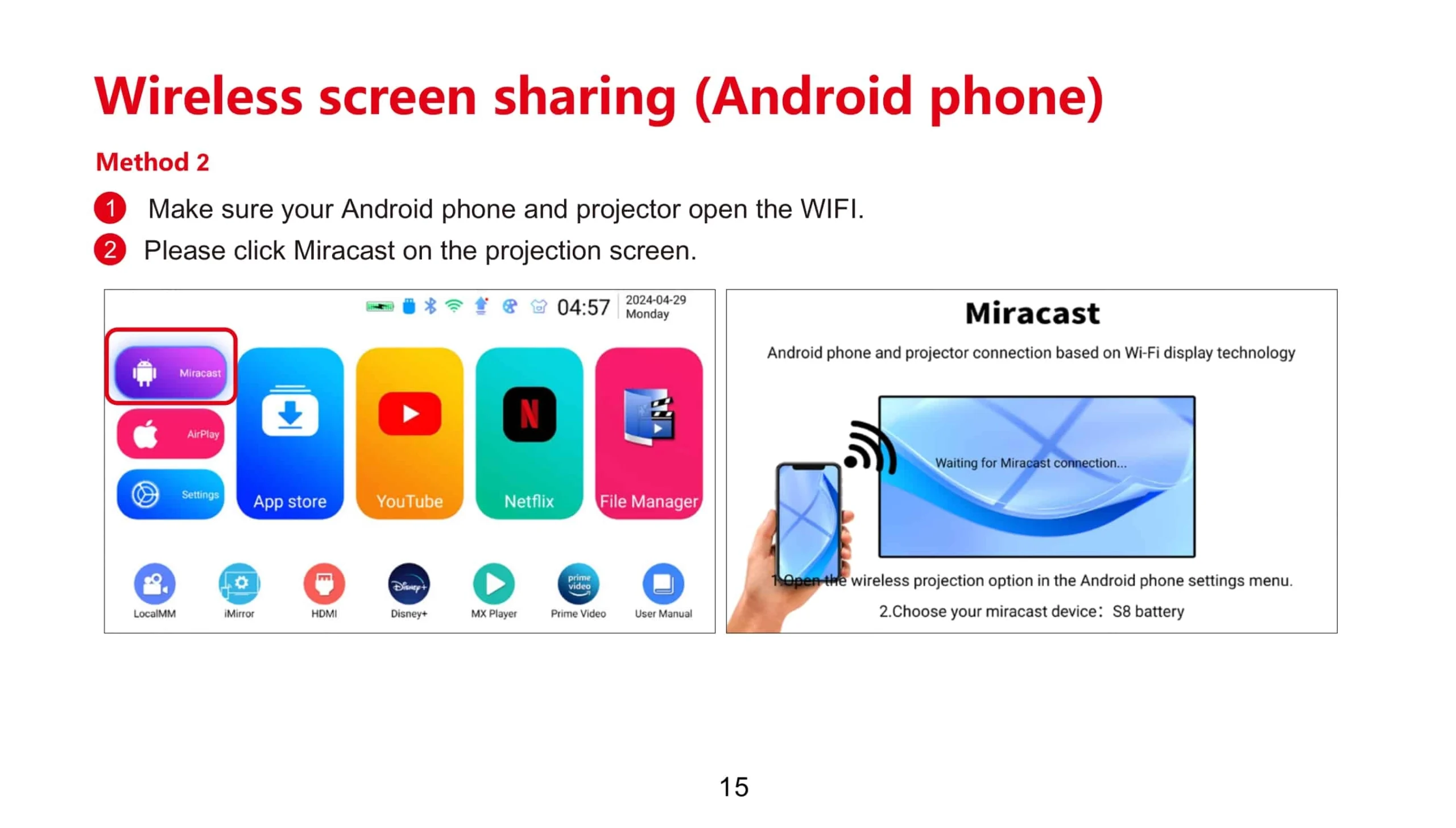
Click Happycast

Step4,
Choose the P20's system

Step5,
Go to the next page and search P20, Select P20 when it shows up.


Step6,
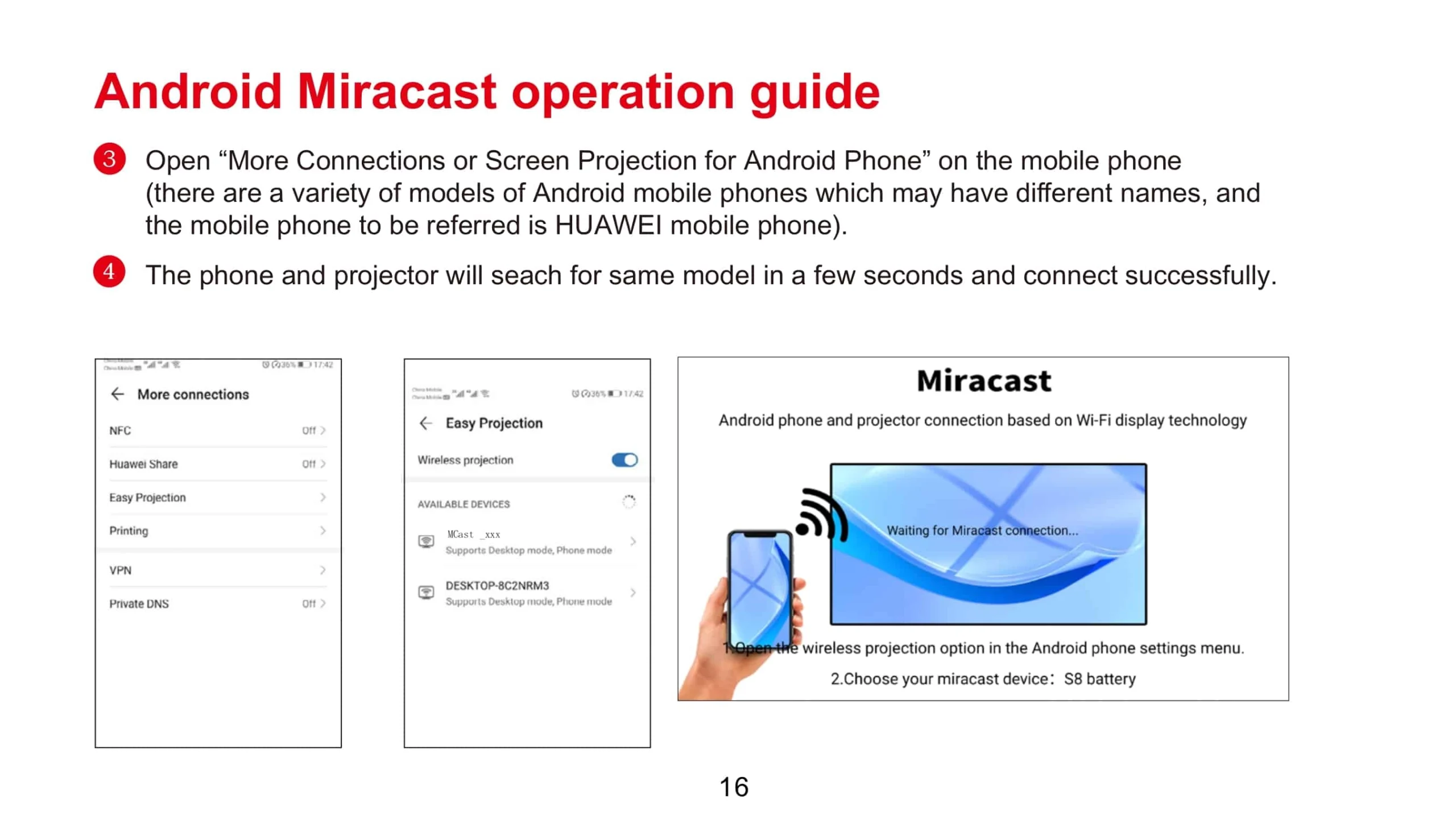
Turn on the function of wireless projection on P20, Searching the device V6's name.

Step7,
When V6's name Mcast-f654 shows up, select it. Then you can see P20's screen mirror on the projector.


You can download the App Happycast on the following link:
For Android device:
http://ftp.hpplay.com.cn/update/happycast_mobile.apk
For IOS device:
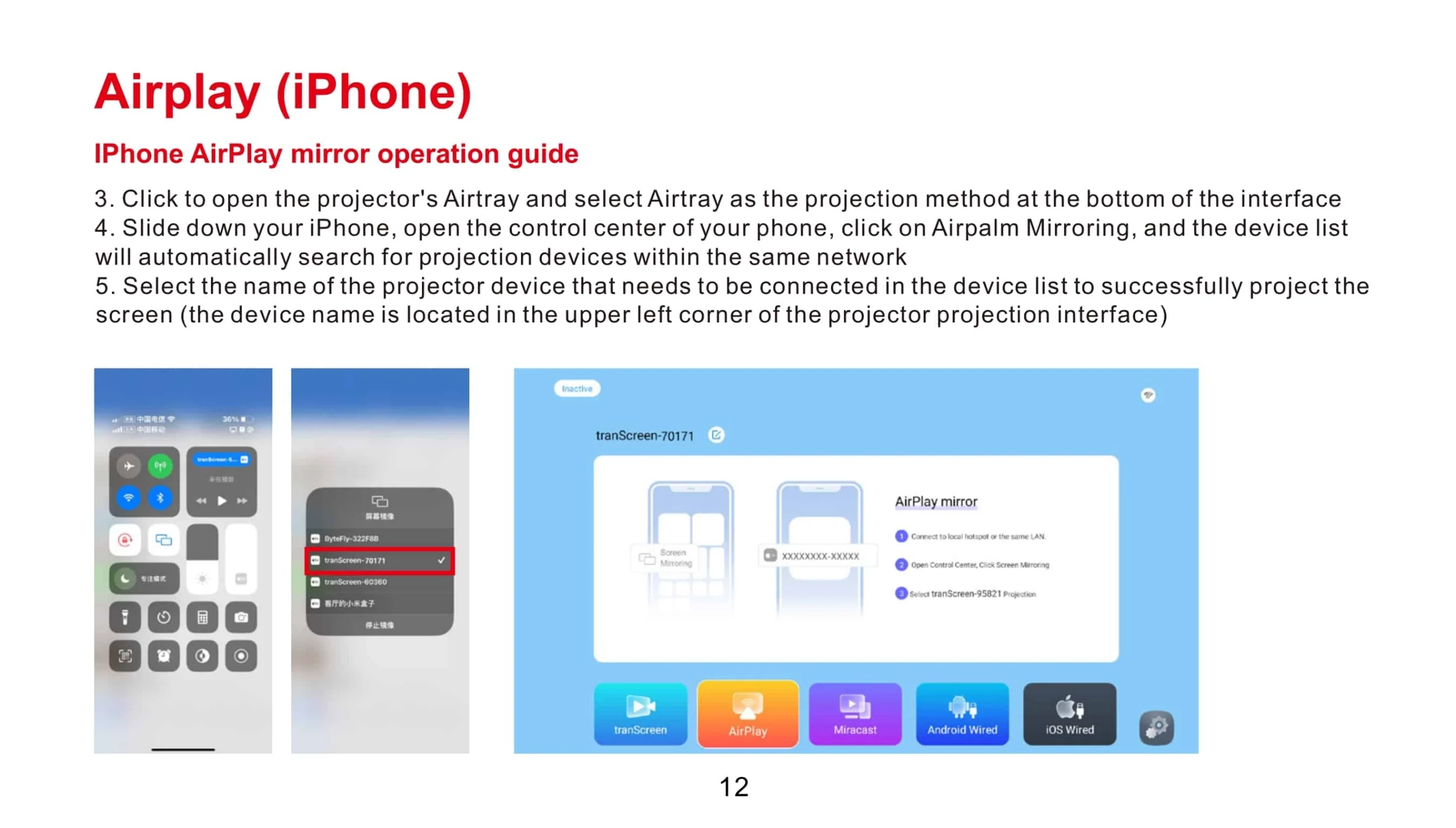
For the first time, something its easier on apple devices than android. To share your apple device you just have to search for Airplay devices. Swipe your finger upwards from the bottom of your screen and then click “Airplay”. Choose your device. And the magic happens.
For Windows PC:
http://ftp.hpplay.com.cn/update/happycast.exe