Google TV vs Android TV: What is The Difference

Google TV vs Android TV: What is The Difference

Table of Contents

    Picture this. It’s Friday evening. The week’s grind fades as you dim the lights. You fire up your projector for a movie marathon. But first, you scroll through endless options. You hunt for that perfect thriller. One platform hands you a grid of apps. It forces you to dive in one by one. The other surfaces custom picks right on the home screen. It pulls from your watch history across services. That’s the slight but huge gap between Android TV and Google TV. Both power smooth streaming on newer devices like projectors. But their ways of finding stuff and ease can shape your whole viewing routine.

    In a world where home entertainment mixes screens large and small, understanding these platforms counts. Projectors throw bright pictures across walls or ceilings. They do well with clever system tie-ins. Whether you’re throwing images onto a backyard sheet for summer hits or filling a living room with family picks, the right software turns gear into a tale-spinner. Android TV set the base back in 2014. It gives a sturdy app setup. Google TV came in 2020 as its nicer upgrade. It polishes that base with better picking. By 2025, as streaming ways shift—think 70% of homes now favoring custom content lines—these systems aren’t just gear. They’re the split between idle flipping and real dive-in.

    This piece digs into each platform’s heart. It sets their strong points against each other. And it highlights how they match everyday spots. We’ll keep it plain. We’ll pull from field changes and user tales to aid your call. No extra—just straight views for folks after that top-shelf projection feel.
    google tv

    What is Android TV?

    Android TV hit the scene back in 2014. It was Google’s try to bring the mobile OS’s bend to living rooms. At its core, it’s a system made for TVs and streaming gear, including projectors. Think of it as the frame for tossing apps, games, and media without snags. Developers dig its wide-open style. Users like the plain bulk of choices from the Google Play Store.

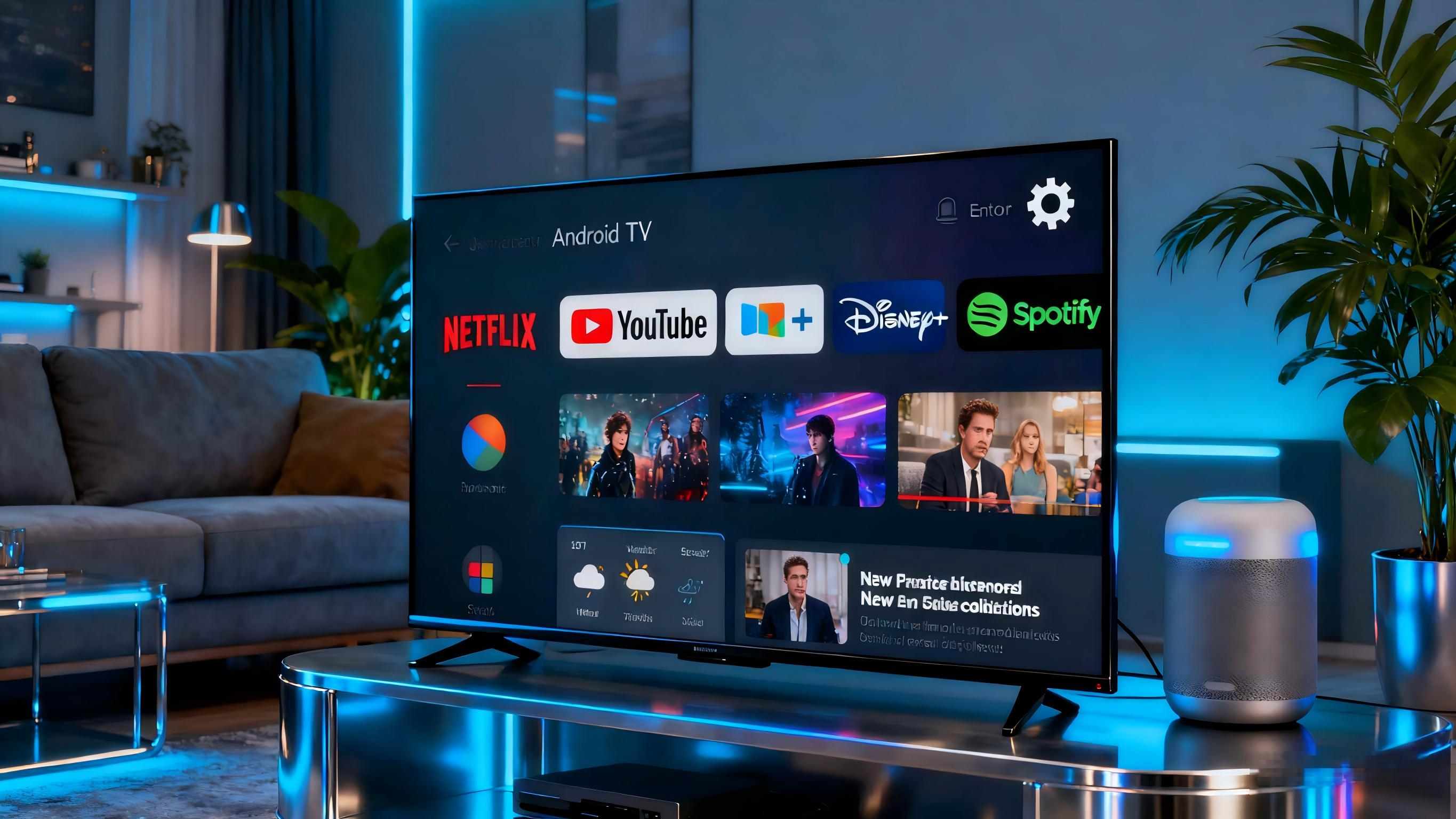
    At the center of Android TV sits its app-focused look. The home screen piles rows of icons—Netflix here, YouTube there, Spotify below. You pick an app. You start it. And you move around from inside. It’s plain for tech folks who know just what they need. Voice orders through Google Assistant work great here too. Say, “Play the latest episode of that detective series,” and it grabs results across apps. Built-in Chromecast lets you send content from your phone with no fuss. That’s a must for quick get-togethers.

    Light and sharpness count a lot in projectors running this system. Take a 1080p unit in a low-light den. Android TV deals with 4K bump-up easy on good gear. But older ones might falter in tough multi-task spots. Storage differs—basic boxes often top at 8GB. That’s fine for simple stuff but cramped for piling apps. Battery on carry-along projectors? Plan for 2-3 hours of streaming before plug-in. It fits short runs.

    Real-life plus: On a cross-country drive last summer, a buddy set up an Android TV projector in his RV. He added travel apps for off-line maps and talks. It made dead time into no-distraction spots. No extras, just steady reach. But as content stacks grow—over 10,000 apps by mid-2025—spotting keepers in the mess can feel like digging dirt. That’s where its next step comes.

    Key Features of Android TV

    • App Ecosystem: Huge Google Play pick, from odd talks to full game sets.
    • Voice Integration: Google Assistant for hunts, tweaks, and home smart shifts—like fading lights mid-scene.
    • Casting Support: Built-in Chromecast for copying phones or laptops.
    • Customization: Looks and setups changeable through menus, though it calls for some digging.
    • Updates: Every-three-months rolls, but they drag on cheap gear.

    These bits make Android TV a steady hauler for fixed spots. They fit projectors that stress plain app strength over guiding hands.
    What is Google TV?

    Google TV isn’t a total system redo. It’s Android TV reworked as an easy layer. It rolled out in 2020 to fight streaming pile-up. Where Android TV lists apps like a digital card file, Google TV plays picker. It brings up content blocks based on your ways. Turn it on, and the home screen fills with rows like “Keep Watching” or “Just for You.” It mixes choices from many services into one line.

    This change comes from AI-led views. It checks your past—say, a run on space docs—and hints at like titles. It even marks free bits or buys. Watch lists let you line up shows over platforms. They link through your Google account for cross-gear flow. Many profiles? Usual deal. They include kid-lock modes that bar grown-up stuff behind codes.

    On projectors, Google TV lifts carry-along ease. Picture hanging a unit from the ceiling in a guest room. Auto-fit shifts the picture at start. Room light feelers adjust shine for warm tones. Storage jumps to 32GB on most 2025 units. That opens room for grabs in weak Wi-Fi treks. Speed feels quicker too—start times cut seconds from app kicks. That’s key for smooth family evenings.

    A neighbor sticks by his Google TV projector for holiday meets. Last Thanksgiving, it auto-hinted bird-day picks from different apps. It skipped the normal scroll drag. Downsides? It tilts hard on Google tools. So outside apps might hide farther. Still, with 2025’s look changes—like a fresh side bar for fast flips—it’s growing quick.

    Standout Features in Google TV

    • Personalized Rows: AI-picked content blocks, shifting to likes over days.
    • Unified Search: One ask brings choices from all over, with clips and actor bits.
    • Profiles and Controls: Home accounts with kid blocks; phone remotes make gadgets into guides.
    • Smart Home Ties: Straight links for habits, like “Film mode” that matches lights and sound.
    • Energy Tools: Fresh 2025 ways drop wait power by up to 20%, kind for round-the-clock projectors.

    Google TV turns idle watching into forward hunt. It’s spot-on for mixed homes.

    Key Differences Between Google TV and Android TV

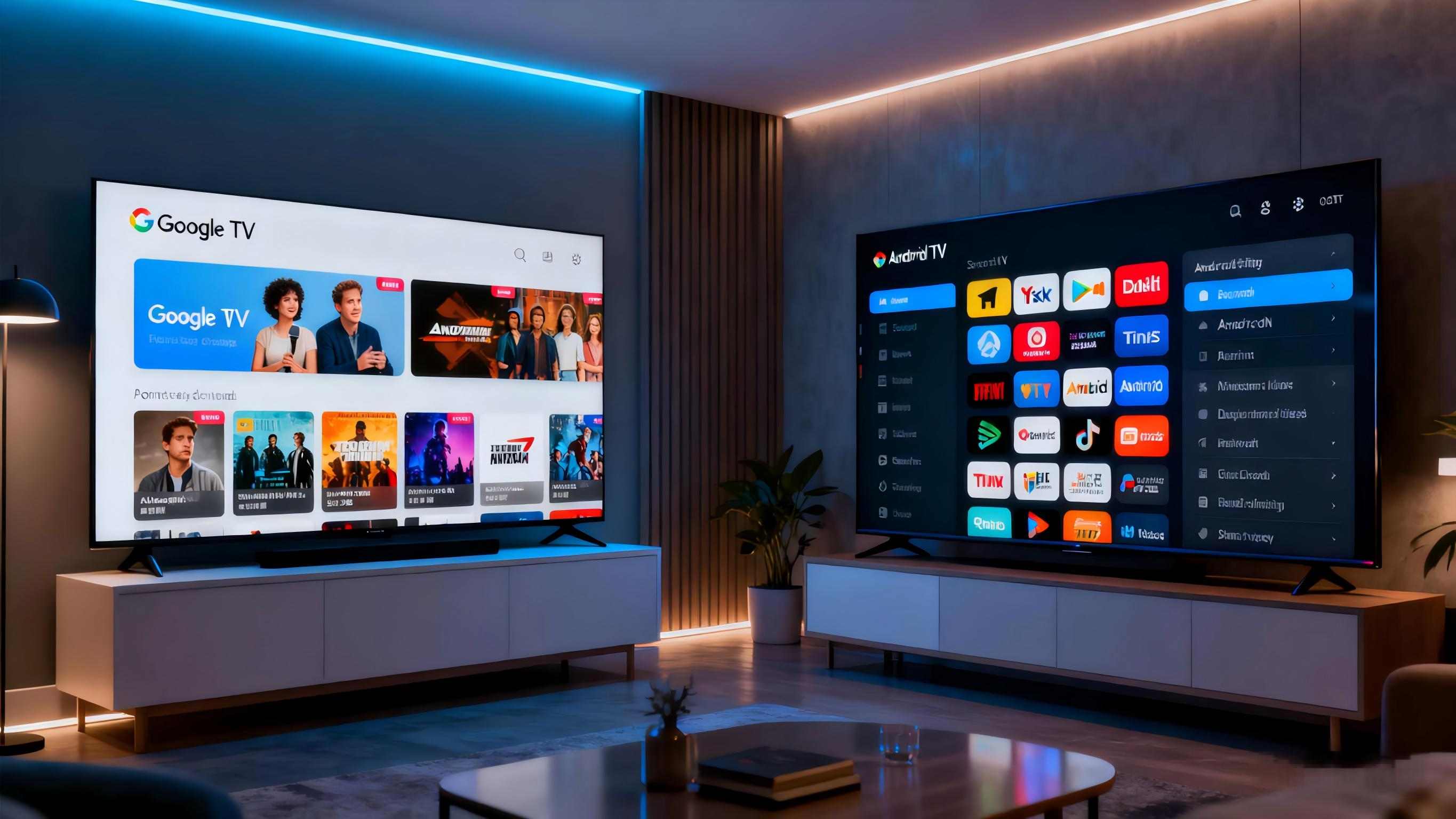
    The edge between these platforms fades. But strip the covers, and clear outlooks show. Android TV puts first reach and bend. It fits fiddlers. Google TV wagers on gut feel and grouping. It lightens the chase for plain folks. By 2025, Google TV’s take-up jumps—over 60% of fresh streaming gear ships with it. That’s down to tuned AI that guesses watch peaks, like weekend fight flicks.

    Here’s a quick side look:

    Aspect

    Android TV

    Google TV

    Interface

    Row-based apps; grid-like navigation

    Content tiles; Netflix-style feeds

    Discovery

    Manual app dives; basic search

    AI recommendations; cross-app aggregation

    Storage

    Often 8GB; app-focused

    Typically 32GB; room for profiles and downloads

    Performance

    Solid on mid-tier hardware; occasional lags

    Smoother animations; faster loads via optimized UI

    Updates

    Quarterly, device-dependent

    Frequent, with AI enhancements in 2025 betas

    User Focus

    Power users, app enthusiasts

    Families, casual streamers

    Past the numbers, think moves. Android TV’s key entry fits exact chases. But it bugs fast types—keying a director’s name needs slow taps. Google TV? Voice or phone guides smooth it. They halve set time in runs. Power save tips to Google TV too. Its wait ways drink 15% less juice. That’s a help for on-all-time projectors.

    In real use, trade them on the same gear, and the change lands. Android TV feels like sorting a tool chest—everything sits there. But you grab bits yourself. Google TV? It’s the chest that tips the tool before you say. For projectors in changing rooms, like a work spot turning theater, Google TV’s flex takes it. It cuts choice wear in quick runs.

    Similarities That Bind Them Together

    Despite the splits, Android TV and Google TV share roots from the same Google web. This keeps wide match. Both hit Google Play for thousands of apps, from fit flows to old games. Chromecast in means no-fuss copy—toss a phone slide show to the wall mid-meet. Google Assistant takes asks the same. It shifts subs or checks sky mid-show.

    Safety stands out: Steady fixes guard from weak spots. 2025 adds stronger lock for stream info. Sound-sight skill? Same back for Dolby Vision and Atmos on checked gear. It hands sharp sound fields in projector spots. Multi-room sound links too. It makes speakers beat together.

    These matches make trades easy. A user shifting from Android TV to Google TV drops no main jobs—just picks up shine. In a field where 80% of streams now jump gear, this tie keeps flows even.

    Choosing the Right Platform for Your Setup

    Your choice rests on daily life. Lone players or app stackers? Android TV’s straight reach works. Homes mixing likes? Google TV’s profiles and hints clear mess. For projectors, weigh carry: Android TV fits tough, app-thick carry-ons. Google TV shines in wise homes with voice habits.

    Try in place. In a sunny living room, Google TV’s shift shine holds clear in day flows. Numbers back it—user happy checks show 25% better stick for custom looks. Costs count too; basic Android TV projectors kick off $150 less. But Google TV’s long run pays in less gripes.

    Discover Toumei Projectors: Powering Your Streaming World

    When it comes to linking these platforms with prime projection, Toumei Projector sticks out as a solid source. Founded in 2013 in Shenzhen, China, this tech group focuses on DLP smart projectors using Texas Instruments’ micromirror tech—backed by over 50 patents for sharp, lively pictures. Their range covers home theaters to carry-alongs, with monthly runs over 20,000 units from own lines for close check.

    Toumei’s plus? Smooth OEM/ODM tweaks, so you can pick units with Android 13 or Google TV links. Take the S7: 1080p sharpness, 600 ANSI lumens, and choice Google TV for easy content grabs. Or the X5, on Android 13 with 1600 ANSI shine and twin 20W speakers—great for deep nights. Bits like auto-corner and block dodge make set a snap, while 2GB RAM and 32GB hold tackle big streams without stutters. If you’re kitting a made setup or snagging ready ones, Toumei’s aim at steady and world fit lifts daily looks.

    Conclusion

    Android TV and Google TV both open streaming’s reach. But their tastes fit varied mouths—one rough and bendy, the other tuned and gut-led. As 2025 rolls with AI honing hunts, the pick comes to your beat: Do you shape your night, or let it roll? Any path, teaming with firm gear turns dots into keeps. Jump in, throw big, and let the screen pick the yarn.
    Frequently Asked Questions

    What is the main difference between Google TV and Android TV?

    The core split lies in focus: Android TV emphasizes app access with a straightforward grid, while Google TV layers on content recommendations for quicker, tailored picks—making it ideal for varied streaming sessions on projectors.

    Can I switch from Android TV to Google TV on my projector?

    Yes, many devices support the upgrade via software updates, blending Android TV's stability with Google TV's modern interface. Check your model's firmware for seamless transition.

    Which platform handles 4K streaming better on projectors?

    Both excel with certified hardware, but Google TV's AI upscaling edges out for smoother playback in mixed lighting, drawing from cross-app optimizations.

    Is Google TV worth it for family projector use?

    Absolutely—its profiles and watchlists keep preferences separate, reducing squabbles over queues during group viewings.

    How does storage compare in Google TV vs Android TV devices?

    Google TV typically offers more space, like 32GB versus Android TV's 8GB baseline, supporting richer app libraries without constant cleanses.
    Share This Post :

    Related Post

    RGB laser projectors are changing what people expect in the high-end home theater projector world. Their setup uses separate red, green, and blue laser light sources. This approach gives excellent accuracy in color display and steady performance over many years. The technology shows a clear move away from bulb-based or phosphor-converted laser setups. It heads toward a cleaner way to handle light. This brings movie-like realism right into living spaces. The Core Principle Behind RGB Laser Projection RGB laser projection works on the idea of creating colors on their own. Each main color—red, green, and blue—comes from its own laser diode. This setup lets each part adjust exactly without mixing issu es from one-laser or mixed designs. The outcome is a much broader color range. It can show shades that match what filmmakers wanted. In top-quality home theaters, this exactness fits cinema rules like DCI-P3 and BT.2020. The benefit goes past just accuracy. It also brings steadiness. Since each light wave stays the same, RGB laser projectors keep even light output as time passes. This steadiness stops the slow color shift seen in bulb projectors. Those shifts happen as their lights wear out and weaken. Img.RGB Laser Projectors Redefining Home Theater Projector Performance Standards.webp How RGB Lasers Enhance Visual Fidelity Image quality relies on even brightness and deep contrast. The steady quality of laser light helps here. It makes edges sharper and picture details clearer at top resolutions like 4K or 8K. The clean nature of each light wave also adds to richer darks and stronger lights. This creates a wide range of tones that pulls viewers in deeper. Premium models use smart control methods to manage strength across single picture points. This keeps no area of the image too dim or spilling over. Even brightness over the whole projected space avoids dim edges. That is a usual problem in bulb systems. In those, the middle looks brighter than the sides. When people look at portable or small projectors, they want sharp, clear pictures. They also seek high detail levels, decent sound, and strong light for use in lit rooms. This point about portable types highlights the key role of sharpness and light. RGB lasers raise these to expert levels in set home setups. Why Are Home Theater Brands Moving Toward RGB Laser Solutions? Top makers are turning more to pure RGB laser systems. Buyers want real-looking images like those in real theaters. The change shows that the tech is ready. The market is set for solid light sources. Market Shift from Lamp-Based to Laser Projection Old bulbs have clear drawbacks. They drop in light over time. They show uneven color warmth. Users must swap them out now and then. These upkeep steps raise running costs. They also break steady work. Solid-state lasers offer many thousands of hours with little drop-off. Solid State Lighting – Projector lamps contain mercury, are expensive, and need to be replaced every few years. They are being replaced by solid state light sources like lasers and high brightness LEDs that last up to 30,000 hours. This long life means less stoppage. It cuts total ownership costs. Buyers get dependability along with strong output. Competitive Differentiation Through Color Performance Color quality sets premium systems apart. RGB lasers cover almost all of the BT.2020 range. No phosphor-based option can do that. This skill works with new HDR types like HDR10+. It gives higher bright spots without too much color overload. Companies stand out in busy markets. People link bright colors with good work. Makers pair wide color range with strong dynamic range fit. They market their items as real movie stand-ins for flat screens. How Do RGB Laser Projectors Improve Brightness and Contrast Levels? Even light and deep contrast make images feel real in dim rooms common in home theaters. RGB laser projectors do well at matching these through straight light tech. The Role of Direct Laser Illumination in Brightness Control Straight laser light skips middle change steps in phosphor setups. No energy waste from change parts or light path flaws, more light hits the screen per unit of power used. It works from small ones under 100 inches to big ones over 150 inches. Smart control ways let fine tuning of each color part. Light stays even in tough scenes with both bright spots and dark areas at once. Do more lumens mean a better projector? Lumens for projectors is like horsepower in a car – it’s important but only a part of how well the projector is suited for the task. While sheer lumen count matters less than overall system design, RGB laser projectors typically achieve superior perceived brightness because their spectral efficiency enhances visual contrast even at lower nominal outputs. Achieving Cinematic Contrast Ratios at Home Contrast level decides how well soft shifts between dark shades stay clear without losing details. Separate control of red, green, and blue parts lets these projectors make darks deeper. They keep bright parts true. Bulb optics struggle to match this balance. Moving contrast methods improve output by checking scene details each frame. In dark parts, power moves to cut extra light spill. In bright parts, full power brings back energy without cutting off lights. The effect is pictures with great depth like pro digital movie setups. What Are the Engineering Challenges Behind RGB Laser Integration? Even with strong benefits, fitting separate-laser designs into small home units brings big build issues. These tie to heat control and light path exactness. Managing Heat Dissipation and Optical Alignment Strong diodes make a lot of heat. They need top heat control with liquid flow systems or heat tube setups. Keeping steady heat points ensures even light wave output. That is key for right color blend. Light path matching adds more trouble. Three beams must meet exactly on one focus spot. They avoid color shifts or spread over time. Makers use tiny change tools linked with check sensors. These hold match accuracy against build strain or outside changes like heat shifts. Balancing Cost Efficiency with Performance Goals Pure-laser parts need high-end light tools. These include color-split mirrors and beam joiners that handle strong steady light without wear. These raise starting build costs over mixed designs. Yet they promise top light cleanness. Current studies aim at block designs. They make swappable light parts that ease later fixes or adds. This cuts build steps in making batches. As more use spreads among home theater makers, cost per light unit should drop bit by bit. How Does RGB Laser Technology Influence Image Longevity and Maintenance? Strength stands as a top draw for solid-state light tech. It targets fans who want steady work over long periods. Long-Term Stability of Laser Light Sources Lasers differ from bulbs in how they fade. They avoid quick light drop after few hundred hours. Instead, they show slow weakening over many thousands of hours. They keep color balance. LED technology avoids dimming projector issues, allowing smart projectors to shine brightly for up to 30,000 hours. Although referring specifically to LED systems, this principle applies equally—and often more effectively—to direct-laser configurations which sustain luminous intensity longer due to lower thermal cycling stress on emitters. Steady light output cuts the need for re-sets. After first setup during install, an RGB system holds its base light point much longer than bulb units hit by light aging. Maintenance Advantages for End Users and Installers Closed light engines block dust entry. That is a main cause of picture flaws like spots or fog on inner lenses. Far-off checks through net links give early fix warnings before issues show. For setup experts handling many sites or high-end home blends, this far-off work cuts visit needs. It keeps running time strong as expected from top electronics buys. How Will Emerging Standards Shape the Future of RGB Laser Projectors? Screen rules keep growing toward higher details (8K) and wider tone ranges (Dolby Vision). Pure-laser build ways are well set to meet these. Their growth in light wave exactness and control speed helps. Compatibility with Next-Generation Display Formats 8K detail needs exact point lines. This works only when light stays steady across tiny edges. Lasers do this well compared to spread LED groups or spark bulbs. Plus, BT.2020-level color cover ensures fit with future HDR10+ work flows from studios making super-high-detail streams. Flexible software setups let makers push changes. These match projector work with new air rules without part swaps. The guards buys against old-style loss in home tech areas. Img.RGB Laser Projectors Redefining Home Theater Projector.webp Integration with Smart Home Ecosystems and AI Calibration Systems New home theater networks lean on auto systems. These blend light control, sound match, and space checks under one setup like Alexa or Google Home networks. AI-based setup in coming projectors watches room states all the time. It tweaks tone lines or light balance based on found wall shine or room light levels. Data checks from use records give early wear spot info. This spots part fade long before breaks happen. It boosts strength traits key for high-cost setups where stoppage links straight to user upset. Conclusion: The Strategic Value of Adopting RGB Laser Projection Technology RGB laser projectors mix build exactness with sight quality no past tech can match. Their skill to give true movie feels through full color truth sets them as base changes. They redefine top home fun work rules in luxury home markets around the world. FAQs about RGB Laser Projectors
    RGB Laser Projectors Redefining Home Theater Projector Performance Standards
    Exploring RGB Laser Projectors and Lamp Evolution in Modern Projection
    Exploring RGB Laser Projectors and Lamp Evolution in Modern Projection
    The Top 10 Chinese Projector Manufacturers in 2026 Expert Ranking & Future Trends
    How to Choose a Projector Manufacturer: Avoid These 7 Costly Mistakes in 2026

    TAGS

    Contact us

    Get A Quote

    Contact us for quotes and specs

    we will give you a quote within 24 hours