How to use miracast to mirror your phone’s screen to projector?

How to use miracast to mirror your phone’s screen to projector?

Table of Contents


    It is so easy to set up step by step.
    The detailed instruction below.

    Let's take TOUMEI V6 as an example, Mirror the screen of HUAWEI P20 to V6.

    Two points are very important:
    1) Make sure V6 and P20 all contacted to the same WiFi.
    2) Make sure you have to download the app Happycast on your P20 and V6 already.

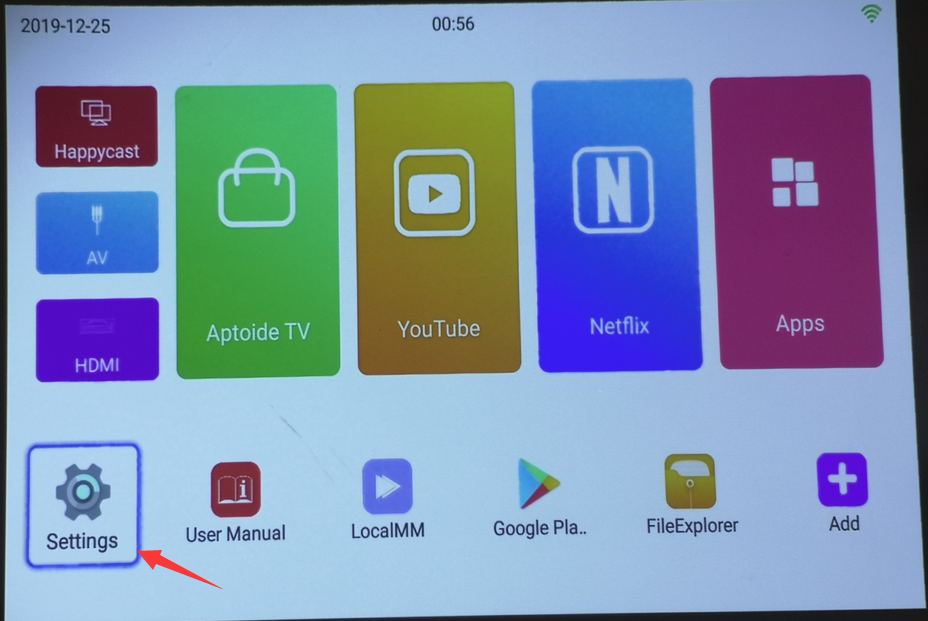
    Step1,
    Setting>WiFi>Choose the WiFi account>Enter the password of WiFi
    V6 connected to WiFi
    01

    02

    03

    04

    Step2,
    P20 connect to the same WiFi as which V6 connected and make sure you download the app Happycast on P20 already.

    H

     Step3,
    Click Happycast

    06

    Step4,
    Choose the P20's system

    07

    Step5,
    Go to the next page and search  P20, Select P20 when it shows up.

    08

    09

    10

    Step6,
    Turn on the function of wireless projection on P20, Searching the device V6's name.

    11 6e671c57 c411 4178 8bb3 e2183cb2e599

    Step7,
    When V6's name Mcast-f654 shows up, select it. Then you can see P20's screen mirror on the projector.

    12 2

    1577499755 1


    1577499714 1


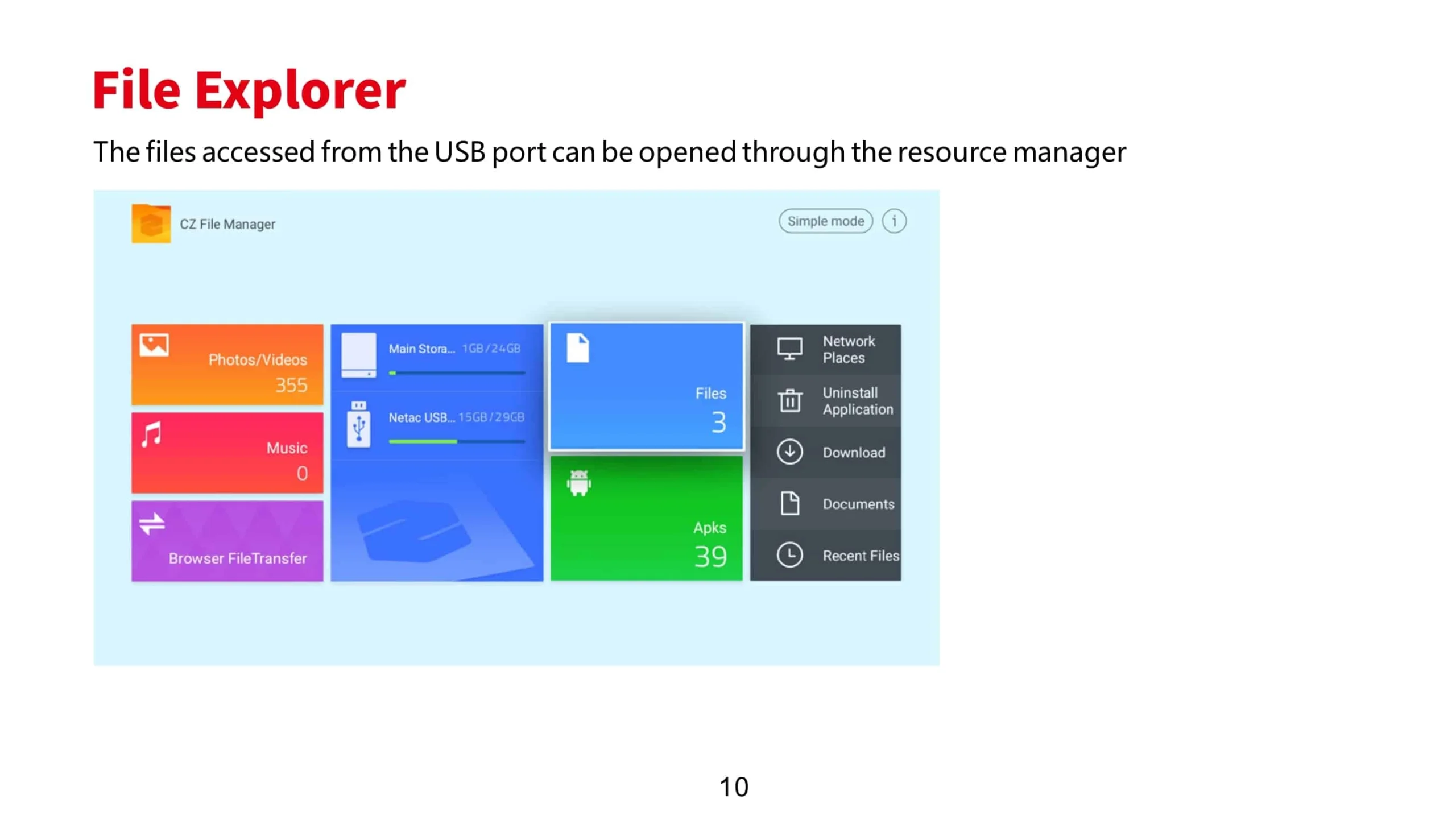
    File Explorer scaled

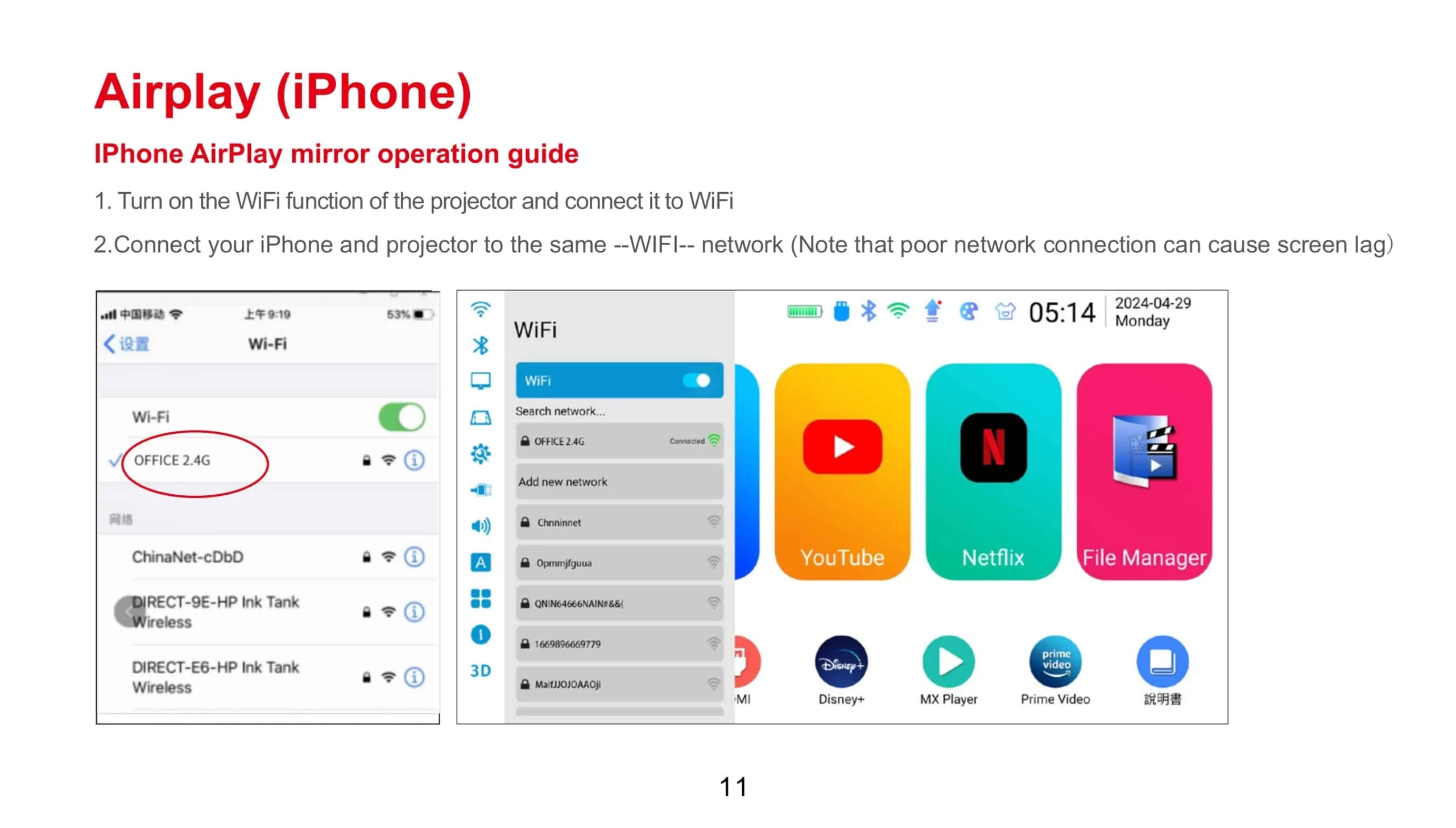
    Airplay iPhone scaled

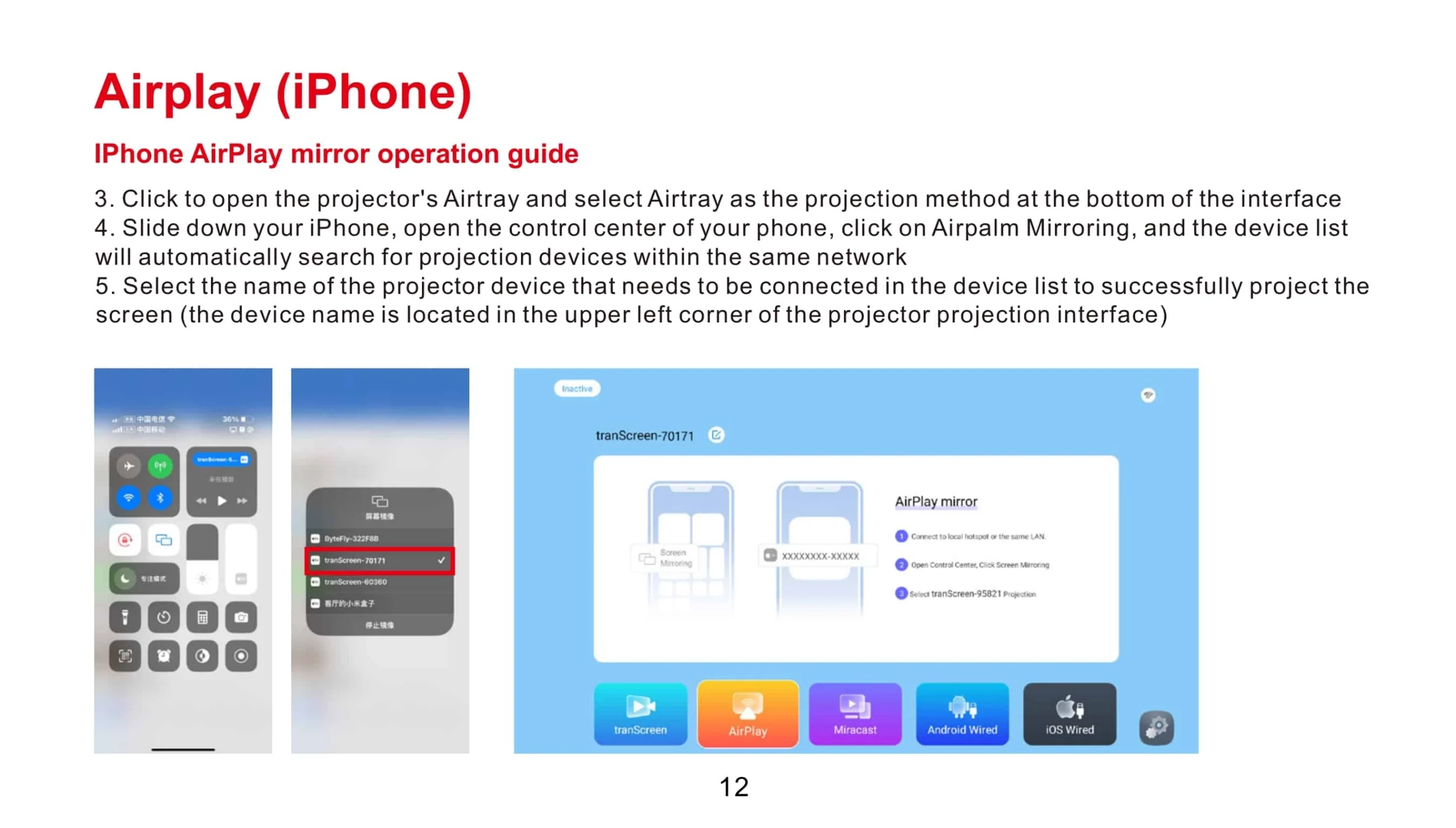
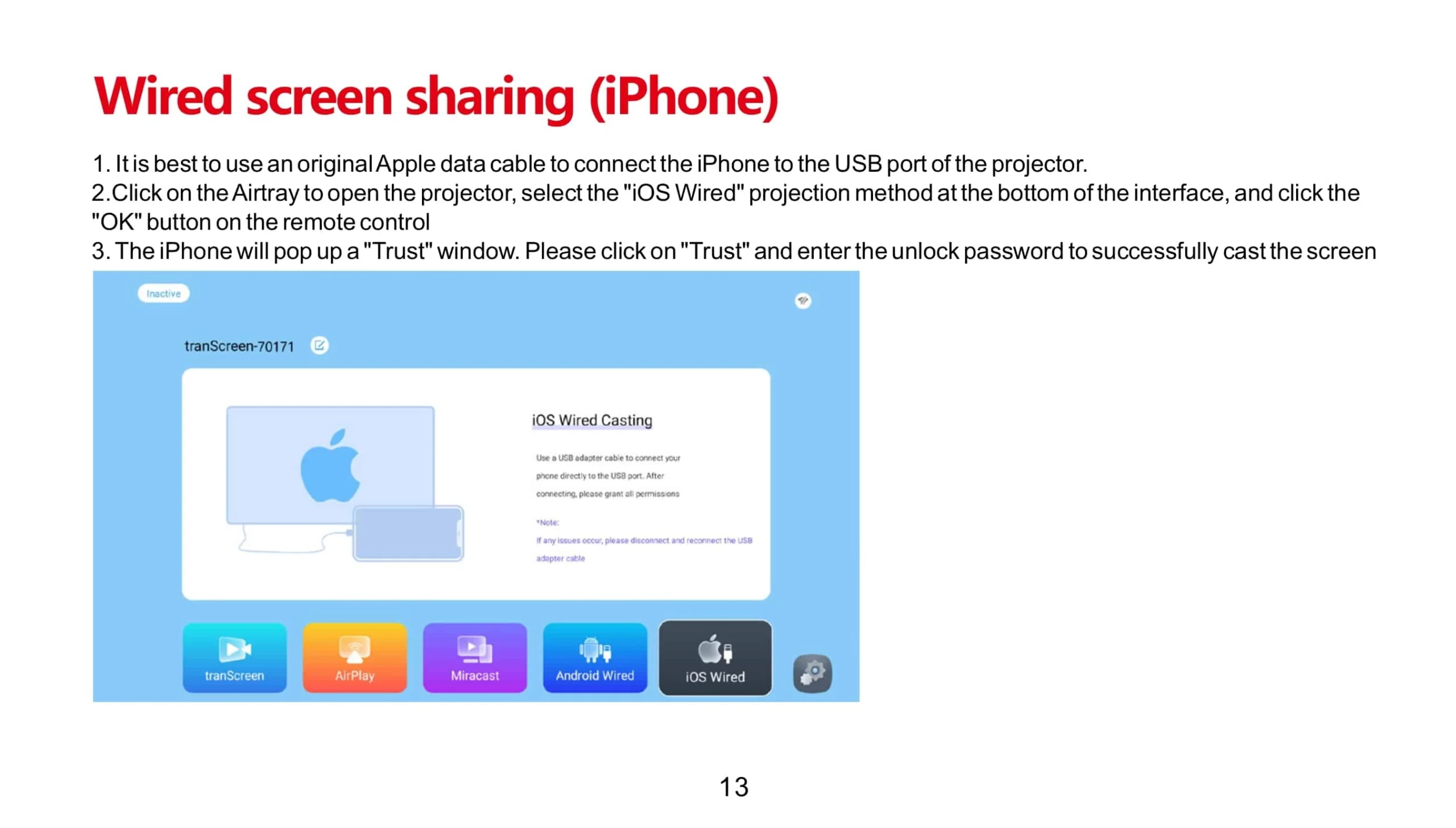
    Airplay iPhone 2 scaled   Wired screen sharing iPhone scaledWireless screen sharing Android phone 2 1 scaled

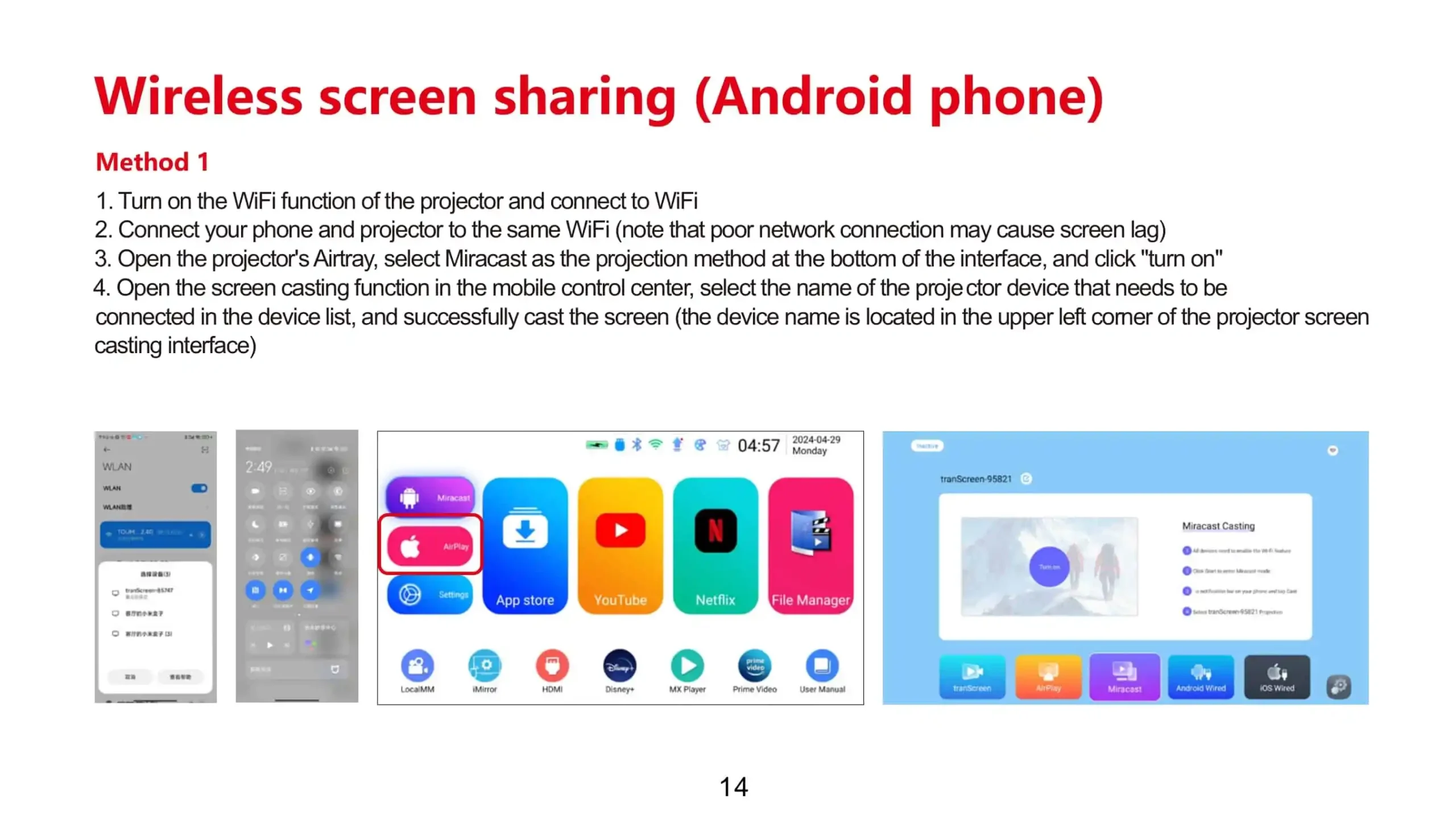
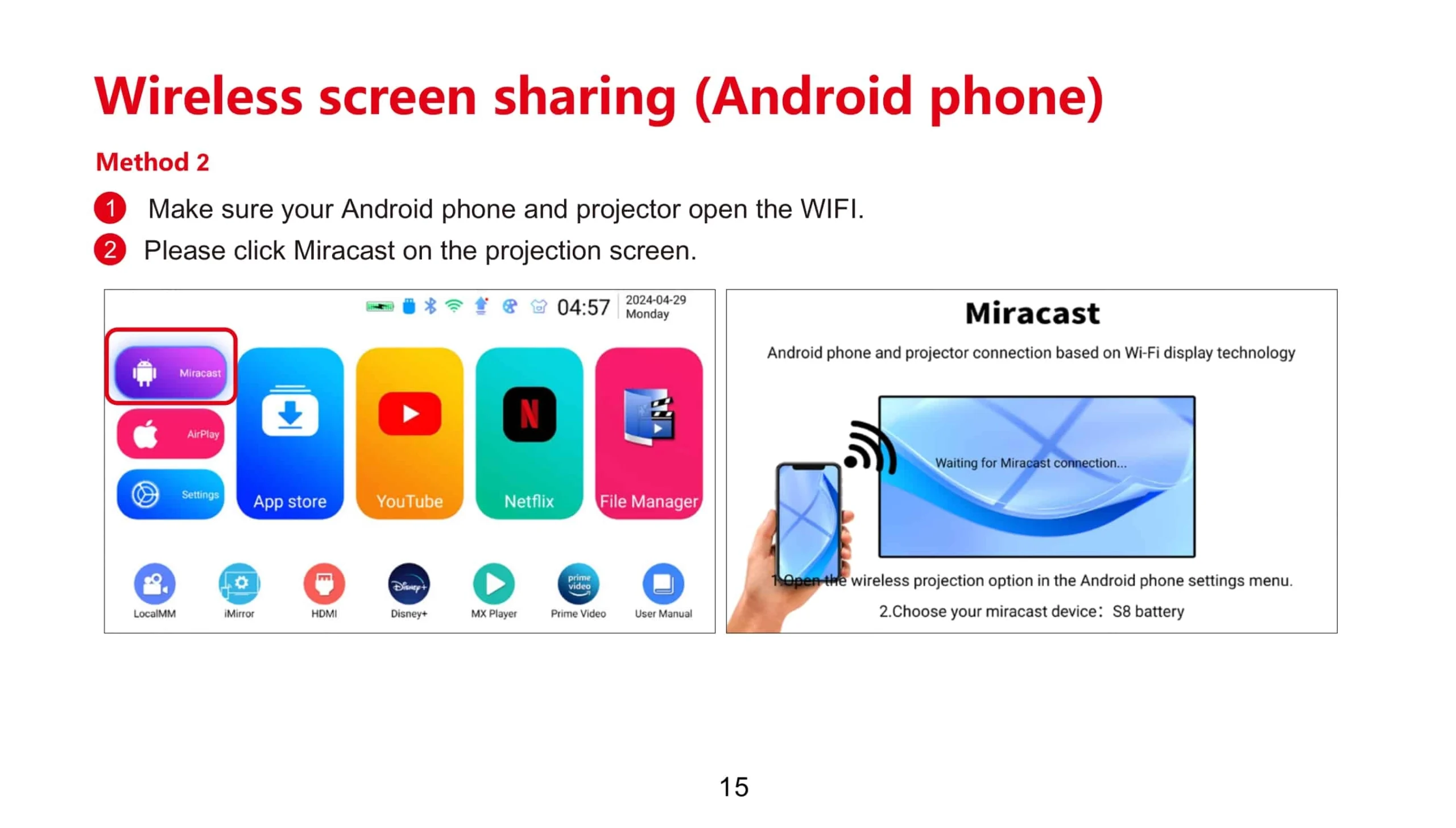
    Wireless screen sharing Android phone scaled

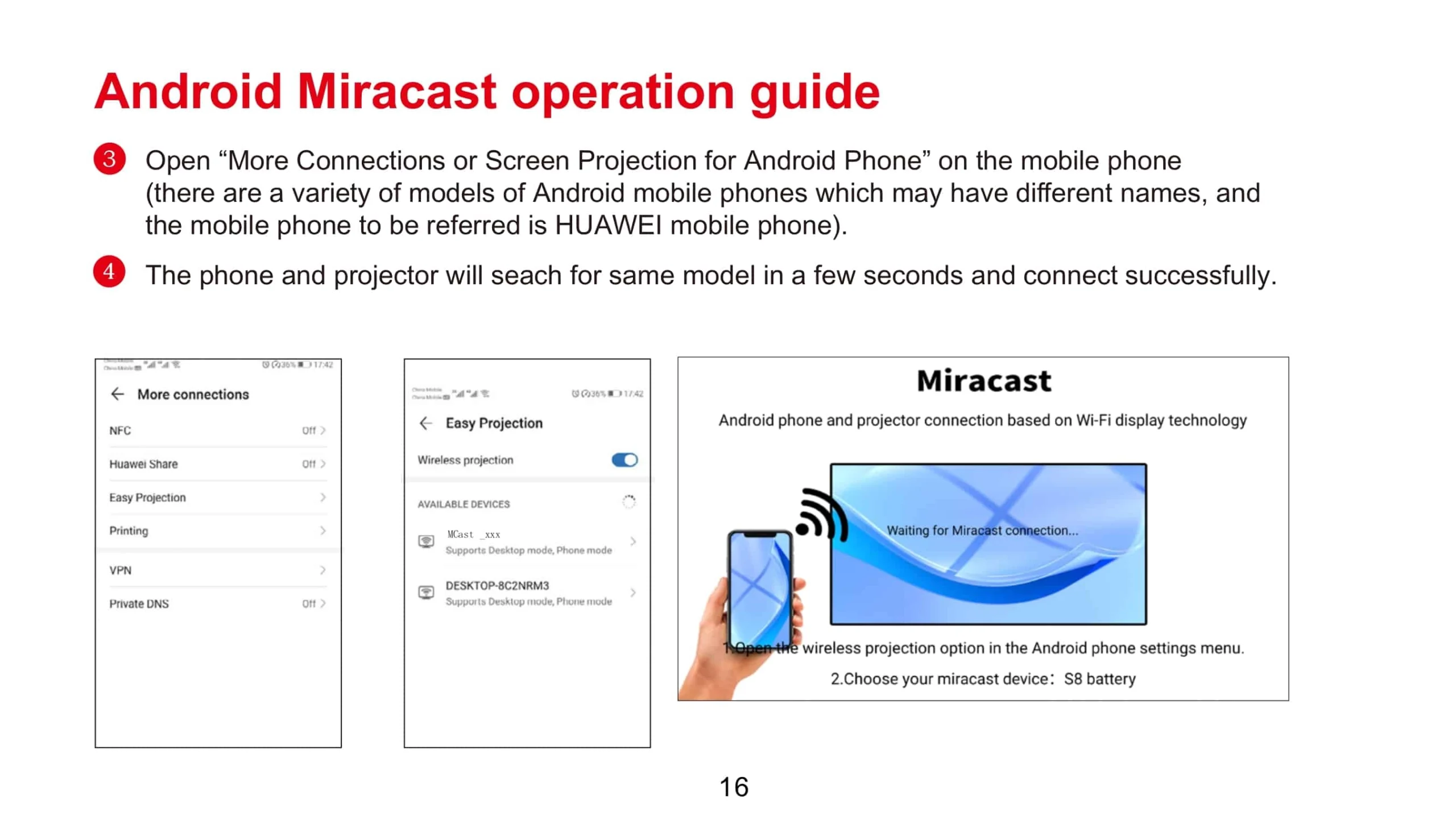
    Android Miracast operation guide scaled

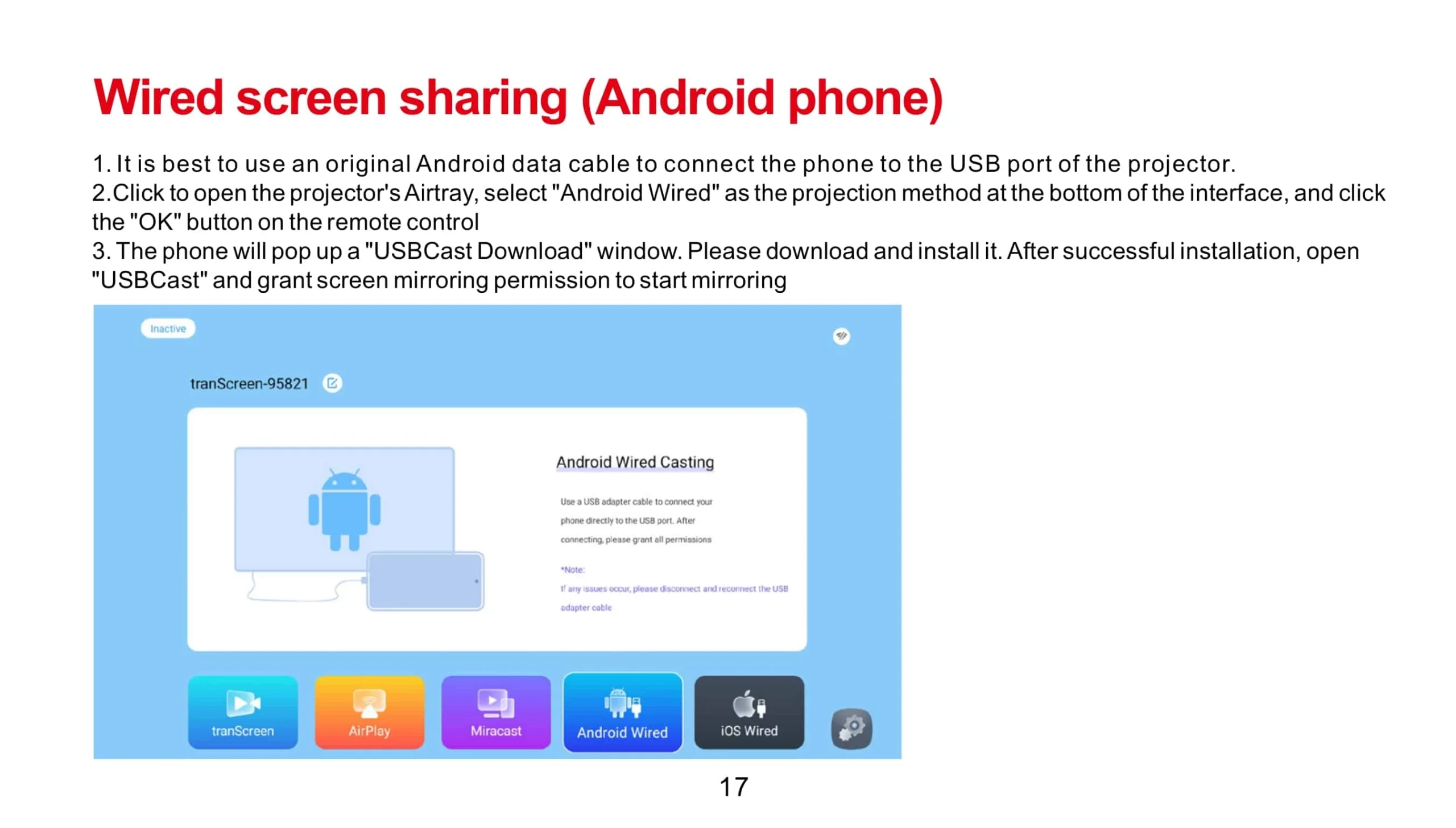
    Wired screen sharing Android phone scaled

    You can download the App Happycast on the following link:
    For Android device:
    http://ftp.hpplay.com.cn/update/happycast_mobile.apk

    For IOS device:
    For the first time, something its easier on apple devices than android. To share your apple device you just have to search for Airplay devices. Swipe your finger upwards from the bottom of your screen and then click “Airplay”. Choose your device. And the magic happens.

    For Windows PC:
    http://ftp.hpplay.com.cn/update/happycast.exe
    Share This Post :

    Related Post

    Diagram asking whether an exact source signal works on a projector input: source format travels through cable and port, EDID data returns toward the source, and the physical DMD array is checked separately.
    What Does 4K Input Support Mean on a Projector?
    Diagram showing lens-to-screen distance between a projector and projection screen for proper throw distance setup.
    How to Calculate Projector Throw Distance for a Small Room
    Diagram showing projector alignment with the screen using a vertical reference line and grid pattern
    Why Is My Projector Sharp in the Center but Blurry at the Edges?

    TAGS

    Free A Quote

    Get A Quote

    Contact us for quotes and specs

    we will give you a quote within 24 hours