Projector Resolution Explained: How to Choose Between 720p, 1080p and 4K Without Regret

Projector Resolution Explained: How to Choose Between 720p, 1080p and 4K Without Regret

Table of Contents

    In a world where evenings often blur into movie marathons or impromptu gaming sessions, picking the right projector can turn a plain living room into your own movie house. Resolution lies right at the center of that pick. It’s the pixel tally that sets the crispness, the fine points, and the pull-you-in feel. Still, with choices like 720p, 1080p, and 4K all over the shelves, the whole thing can seem downright daunting. This piece clears up the mess. We’ll break down each resolution type. We’ll stack their upsides next to everyday demands. And we’ll hand you the facts to grab one that matches your spot just right. No looking back later.

    From what the trade shows, the worldwide smart home projector field reached $2.1 billion back in 2023. It could climb to $3.9 billion by 2029. And that’s on a steady 10.77% yearly climb. A big chunk of that rise links to folks wanting better resolutions. Parents and kids hunt for clearer pictures during streams and easy watches. Now, let’s dig into the basics.

    projector

    Understanding Projector Resolution Basics

    Resolution gauges how many pixels squeeze into your beamed picture. Picture pixels as little specks of glow. Extra specks bring out smaller touches. Say, the rough feel of a hero’s coat in a suspense flick. Or the damp shine on a ballplayer’s face in a game highlight.

    What Is Resolution, Exactly?

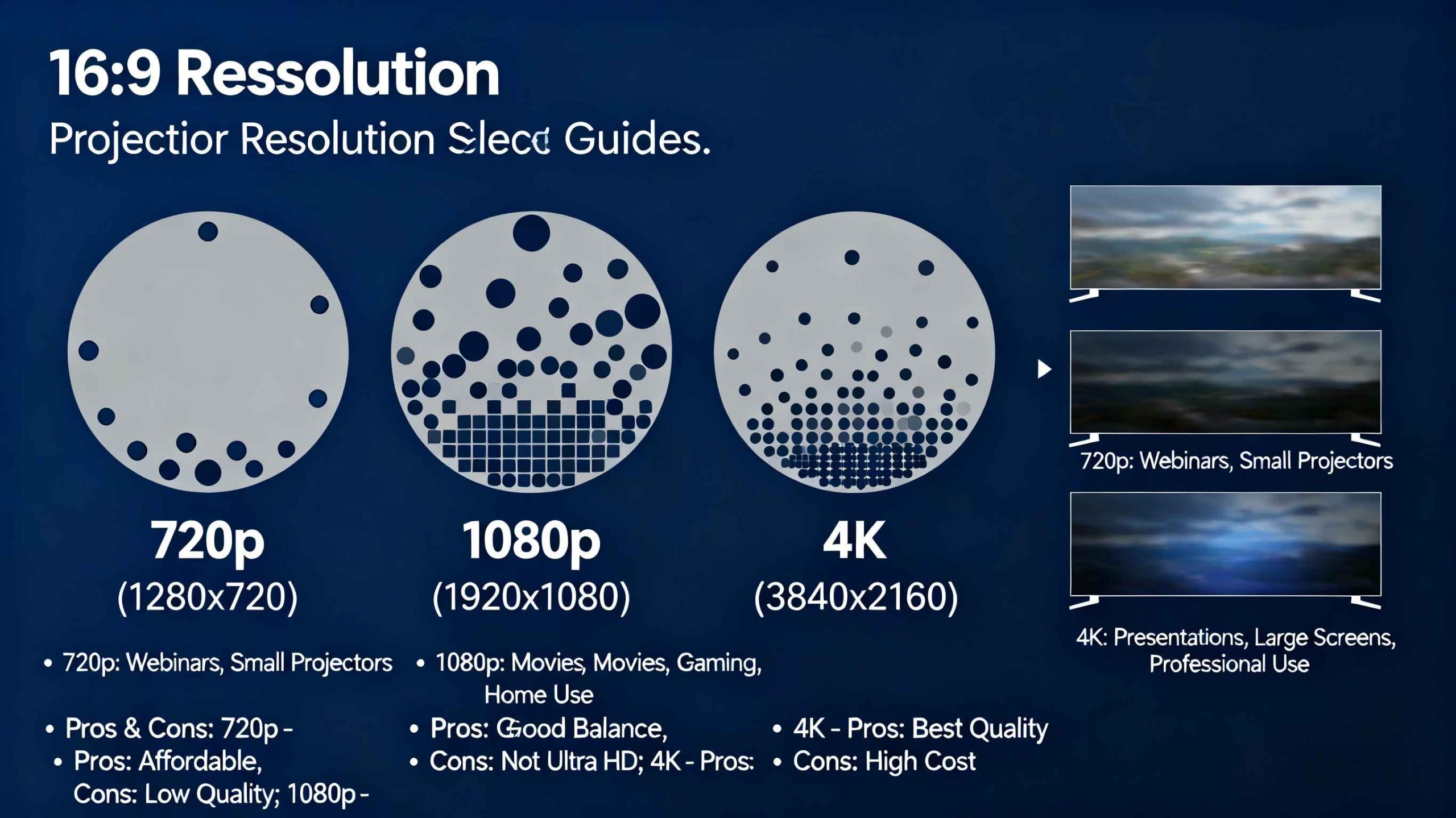
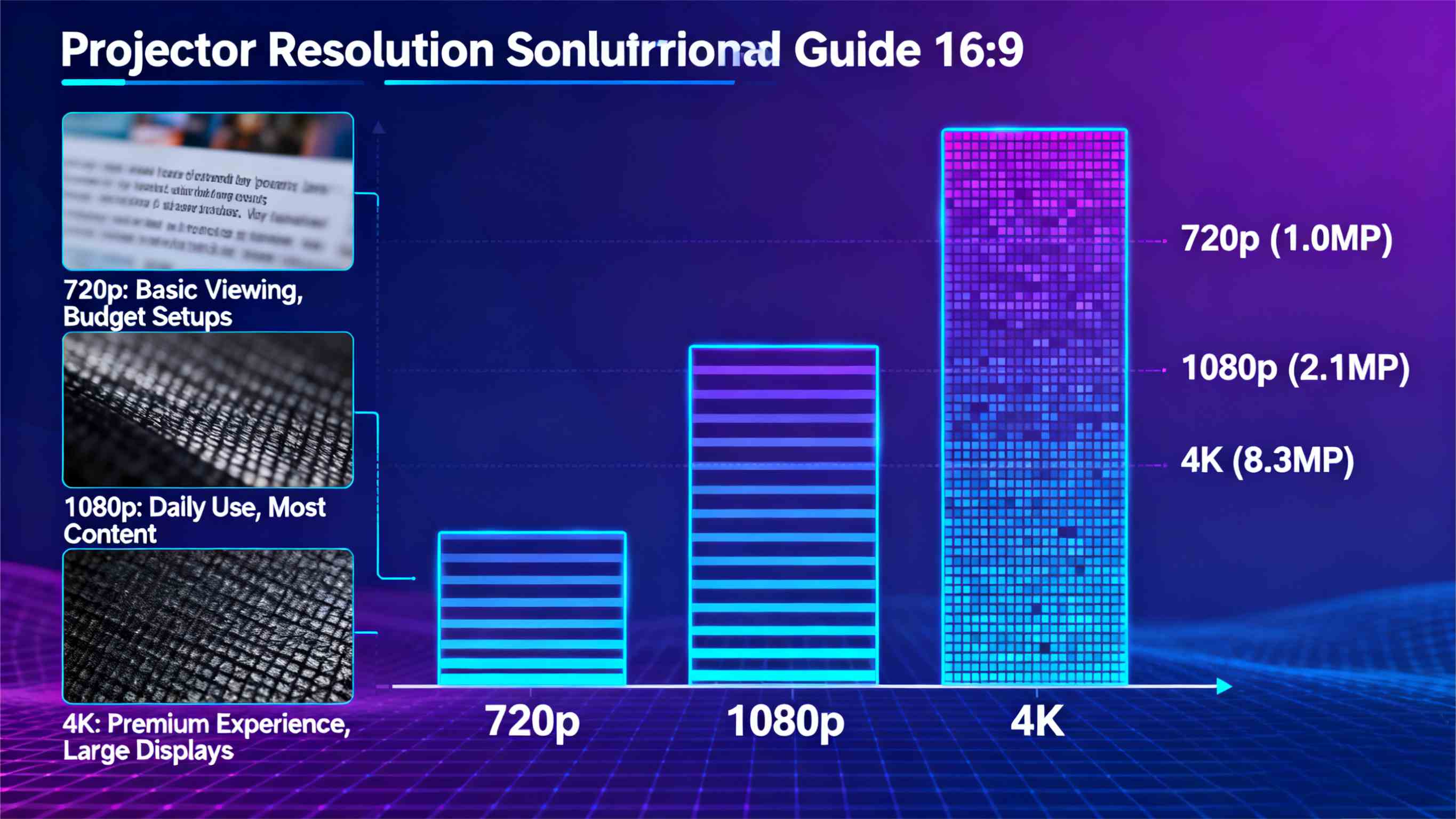
    Deep down, resolution forms a layout of side-to-side by up-and-down pixels. A 720p projector puts out 1,280 pixels across by 720 high. That adds up to roughly 921,600 pixels. Bump to 1080p. Now it’s 1,920 by 1,080. Over 2 million pixels there. 4K stretches things way out. It packs 3,840 by 2,160. About 8.3 million pixels. And that means four times the fine work of 1080p.

    Those figures aren’t mere labels on packaging. They call the shots on how steady a picture stays on bigger displays. In a soft-lit family room, a basic resolution works fine for fast YouTube bits. But stretch to a 100-inch surface. Blurry borders sneak in. You lack pixels to cover the area.

    Why Resolution Matters in Everyday Use

    Clearness fuels real joy. Polls on home fun point out that 68% of folks rank resolution tops when swapping gear. That rings true for marathon series runs. Faint shades ramp up the edge there. Weak resolution tires the eyes over drawn-out stretches. It fades hues in sunny spots too. But go overboard. Like 4K crammed in a tight flat. You throw cash away. Especially when your feeds don’t line up.

    Think about a family game evening. Under 720p, game board throws come off chunky nearby. 1080p irons them flat. So viewing stays easy from the sofa. 4K uncovers each die’s tiny grit. It draws the group right in.

    Breaking Down 720p: The Entry-Level Workhorse

    720p projectors hold their ground as cheap starters. They weigh next to nothing. They gulp little power. And they tackle simple jobs without a hitch.

    Strengths of 720p

    Cheapness leads the pack. These units usually sell below $300. So they’re an easy jump-in for newbies. Power use hangs low. Around 50 watts. That trims power tab runs for casual users.

    Picture sharpness glows in tame spots. With 30-50 lumens a square foot, 720p stays firm in dim glow. Great for midnight flips through facts films. Contrast levels sit at 1,000:1. Plenty to split night parts from bright pops. No runover.

    Drawbacks to Watch For

    Size turns foe quick. Past 80 inches, pixels pull apart. Clean words melt to streaks. That stings in talks. Or spotting lines from across the room.

    Feed matching falls short. Big streamers like Netflix hold to 1080p floors. Thus 720p shrinks things down. It mutes the zip. During speedy sports plays, shake shows up. Slim pixel sets can’t chase fast shifts.

    Ideal Scenarios for 720p

    See a student hall or tiny workspace. A 720p box shoots food steps on a counter for crew meals. Or charts for cram times. It wins on the move. Shove it in a pack for lot parties. Out there, stray glow buries small bits anyhow.

    Diving into 1080p: The Balanced Choice for Most Homes

    1080p hits the mark just right. It hands full HD without the steep price of top-shelf picks. It fits most fresh feeds.

    What Sets 1080p Apart

    Pixel pack thickens plain. Double 720p’s load, borders firm up. Hues burst with real punch. Light output often taps 2,000 lumens. Handles fair room shine. Like midday clan pics with shades half shut.

    Clever add-ons blend smooth. Lots of 1080p projectors hook to Wi-Fi. Easy phone tosses. That hauls 1080p flows full strength. Reply speeds hit 16ms. Eases game runs. Quick swerves count big.

    Potential Shortcomings

    Space to build lingers. Over 120 inches, 1080p invites nitpicks on close looks. Hits hard in still slices of wild life shows. Plant lines ought to sparkle.

    Start costs rise to $500-$800. Lamp swaps every 3,000 hours tack on care. Yet for 80% of homes, this level nails the worth math.

    Where 1080p Excels

    Picture a backyard house lounge. In award show runs, 1080p grabs wide fields in big tales. Eyes catch far-off lines no strain. Console players dig the even 60fps flow. It makes dream lands feel real from arm’s length.

    The Power of 4K: Immersion Redefined

    4K projectors feed fans who hunger for film-level fine points. They stand as the long-haul stake. Makers crank out super-sharp stuff.

    Key Advantages of 4K

    Fine work rules all. Four times 1080p’s pixels, 4K shapes cloth threads. Or wet road gleam in raw truth. HDR lift widens range. Pulls darks from sludge. Heavens glow pure azure.

    Run time stretches far. Beam units hold 20,000 hours. Beat bulb foes. Link spots gleam with HDMI 2.1 slots. For 4K@120Hz. Suits fresh game boxes. They serve slick moves.

    Trade stats back the turn. The projector line aims for 5.6% yearly bump to 2033. Driven by 4K take-up in house rigs. Homes log 25% more pull with 4K on deep dives. From home gear probes.

    Challenges with 4K

    Sticker shocks kick at $1,000. Puts off light shoppers. Crunch needs extra pull. Up to 200 watts. Beam ranges grow. Muddles tight-place fits.

    Few feeds hit full. Wire boxes stick at 1080p. So 4K’s peak naps till streams full stride.

    Perfect Fits for 4K

    Set home screens boom here. Dream of crew nights on space yarns. 4K slices ship skins miles off. Pulls awes. Home clip cutters gain from true shade tweaks. They catch slips lost at low levels.

    Comparing Resolutions: A Side-by-Side Look

    To make it plain, here’s a fast side match table on usual home stats:

    Aspect

    720p

    1080p

    4K

    Pixel Count

    ~0.92 million

    ~2.07 million

    ~8.29 million

    Best Screen Size

    Up to 80 inches

    80-120 inches

    100+ inches

    Brightness (Lumens)

    1,000-1,500

    1,500-2,500

    2,000-4,000

    Cost Range

    $200-$400

    $400-$800

    $800-$2,000+

    Ideal For

    Portable, budget viewing

    Everyday streaming, gaming

    Immersive theaters

    This split shows give-and-takes. 720p cuts bucks. But it cuts corners on spread. 1080p evens out main wants. 4K bets on lasting thrill.

    • Budget Tip: If under $500, go 1080p. It’s the go-to for 70% of folks.
    • Space Check: Gauge beam path. 4K craves extra elbow room.
    • Content Audit: Count your flows. 4K pops on Netflix hits. But 720p does YouTube okay.

    Factors to Consider Beyond Resolution

    Resolution plays alone no more. Team it with these. Dodge letdowns.

    Room Setup and Lighting

    Stray shine guts punch. In bright rooms, chase 2,500+ lumens no matter the level. Gloomy nooks pardon weak beams. Pixels haul the load.

    Display stuff counts big. Stray-light dodging (ALR) backs keep 4K’s bite in lit lairs. They flick off wild gleams.

    Source Material and Usage Patterns

    Line level to ways. Hard players crave quick ping. 1080p slips past 4K often. Film hounds? 4K frees maker aims. Like the rough frost in chill hits.

    Cash goes longer on mixes. Boxes that act as brainy sound boxes. Voice-led tune lists.

    Long-Term Value

    Look five years ahead. As 4K stuff grows, it’ll rule 60% of flows by 2027. Staking ahead pays back. Upkeep? Glow lamps in top levels halve swap needs.

    Real-World Scenarios: Putting Resolutions to the Test

    Grab Sarah, a layout artist in Chicago. Her 720p carry box fits pitch meets in cafes. Fast stand-up. No extras for rough lines. But home, she stepped to 1080p for tweak times. There, line paths held keen on her 100-inch drop screen.

    Blocks away, Mike’s cellar pub runs card eves. 4K turns face cards near ghost-like. Lights up top scarce fade it. He spots the field drive. U.S. north smart box surge, sparked by 4K tweaks, fits his rig’s pull on pals.

    These tales match trade flows. Clans mixing jobs and fun lean 1080p’s flex. From house tech notes. Fans hunt 4K’s reach.

    Spotlight on Toumei Projectors: Your Smart Home Ally
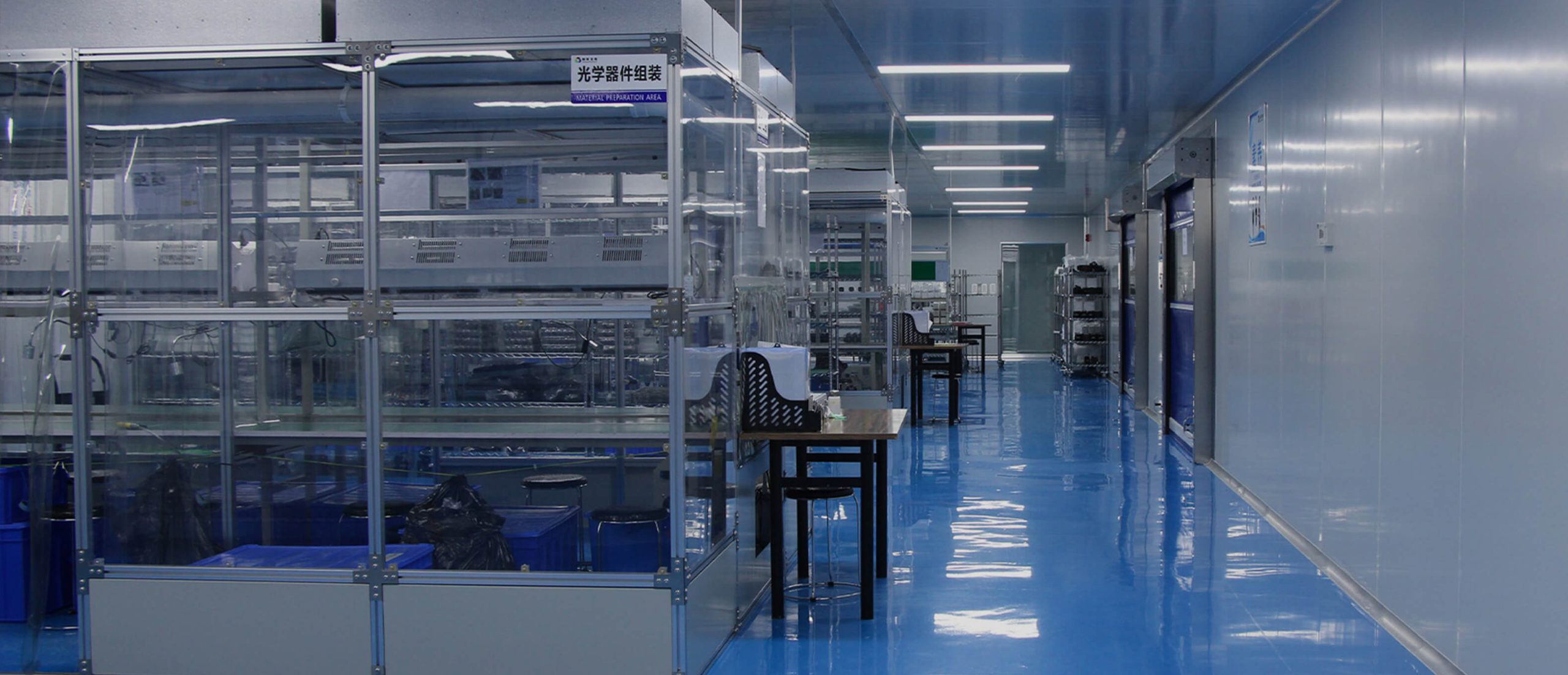
    Toumei Projectors stands out as a dedicated supplier of smart home projectors. It blends DLP technology with seamless integration for modern living spaces. With a focus on customizable OEM/ODM solutions, they craft units in 720p for on-the-go ease. 1080p for versatile family hubs. And 4K for premium immersion. All wired for voice control and app syncing. Rooted in innovation, Toumei prioritizes durable builds and energy-efficient designs. This helps users create tailored entertainment without the hassle.

    Conclusion

    Steering projector levels comes to matching gear with your daily beat. Be it snug seat hangs or big crew meets. 720p cracks open gates cheap. 1080p hands steady day scores. And 4K shapes lasting thrills. Stack pixels with real bits like room and outlay. You’ll hit a rig that boosts, not tangles, your ease time. Smart pick lifts plain beats to real gems.
    Frequently Asked Questions

    What does projector resolution explained mean for my home setup?

    Projector resolution explained reveals how pixel counts like 720p, 1080p, and 4K shape image clarity. For home setups, it guides picks based on screen size. 720p for compact spots. 4K for expansive views. This ensures crisp streams without guesswork.

    How do I choose between 720p, 1080p, and 4K projectors for gaming?

    To choose between 720p, 1080p, and 4K projectors for gaming, factor in refresh rates and input lag. 1080p offers smooth 60Hz play at a fair price. 4K amps detail for immersive worlds. It's ideal if your console supports it.

    Is 4K worth the upgrade over 1080p in projector resolution explained?

    In projector resolution explained, 4K's upgrade over 1080p shines for large screens and HDR content. It quadruples pixels for lifelike depth. It's worth it for movie lovers. Though 1080p suffices for most casual viewing without the cost jump.

    Can a 720p projector handle modern streaming in projector resolution explained?

    Projector resolution explained shows 720p can manage modern streaming basics. It downscales 1080p feeds adequately for small rooms. It falters on big walls, where details blur. Opt up if immersion tops your list.
    Share This Post :

    Related Post

    The Laser Projection Market Is Growing Against the Trend Will It Become a Game-Changer in the Display Industry
    The Laser Projection Market Is Growing Despite the Downtrend: Will It Become a Game-Changer in the Display Industry?
    2026 High-End Home Theater Projector Brand Overview
    2026 High-End Home Theater Projector Brand Overview
    RGB laser projectors are changing what people expect in the high-end home theater projector world. Their setup uses separate red, green, and blue laser light sources. This approach gives excellent accuracy in color display and steady performance over many years. The technology shows a clear move away from bulb-based or phosphor-converted laser setups. It heads toward a cleaner way to handle light. This brings movie-like realism right into living spaces. The Core Principle Behind RGB Laser Projection RGB laser projection works on the idea of creating colors on their own. Each main color—red, green, and blue—comes from its own laser diode. This setup lets each part adjust exactly without mixing issu es from one-laser or mixed designs. The outcome is a much broader color range. It can show shades that match what filmmakers wanted. In top-quality home theaters, this exactness fits cinema rules like DCI-P3 and BT.2020. The benefit goes past just accuracy. It also brings steadiness. Since each light wave stays the same, RGB laser projectors keep even light output as time passes. This steadiness stops the slow color shift seen in bulb projectors. Those shifts happen as their lights wear out and weaken. Img.RGB Laser Projectors Redefining Home Theater Projector Performance Standards.webp How RGB Lasers Enhance Visual Fidelity Image quality relies on even brightness and deep contrast. The steady quality of laser light helps here. It makes edges sharper and picture details clearer at top resolutions like 4K or 8K. The clean nature of each light wave also adds to richer darks and stronger lights. This creates a wide range of tones that pulls viewers in deeper. Premium models use smart control methods to manage strength across single picture points. This keeps no area of the image too dim or spilling over. Even brightness over the whole projected space avoids dim edges. That is a usual problem in bulb systems. In those, the middle looks brighter than the sides. When people look at portable or small projectors, they want sharp, clear pictures. They also seek high detail levels, decent sound, and strong light for use in lit rooms. This point about portable types highlights the key role of sharpness and light. RGB lasers raise these to expert levels in set home setups. Why Are Home Theater Brands Moving Toward RGB Laser Solutions? Top makers are turning more to pure RGB laser systems. Buyers want real-looking images like those in real theaters. The change shows that the tech is ready. The market is set for solid light sources. Market Shift from Lamp-Based to Laser Projection Old bulbs have clear drawbacks. They drop in light over time. They show uneven color warmth. Users must swap them out now and then. These upkeep steps raise running costs. They also break steady work. Solid-state lasers offer many thousands of hours with little drop-off. Solid State Lighting – Projector lamps contain mercury, are expensive, and need to be replaced every few years. They are being replaced by solid state light sources like lasers and high brightness LEDs that last up to 30,000 hours. This long life means less stoppage. It cuts total ownership costs. Buyers get dependability along with strong output. Competitive Differentiation Through Color Performance Color quality sets premium systems apart. RGB lasers cover almost all of the BT.2020 range. No phosphor-based option can do that. This skill works with new HDR types like HDR10+. It gives higher bright spots without too much color overload. Companies stand out in busy markets. People link bright colors with good work. Makers pair wide color range with strong dynamic range fit. They market their items as real movie stand-ins for flat screens. How Do RGB Laser Projectors Improve Brightness and Contrast Levels? Even light and deep contrast make images feel real in dim rooms common in home theaters. RGB laser projectors do well at matching these through straight light tech. The Role of Direct Laser Illumination in Brightness Control Straight laser light skips middle change steps in phosphor setups. No energy waste from change parts or light path flaws, more light hits the screen per unit of power used. It works from small ones under 100 inches to big ones over 150 inches. Smart control ways let fine tuning of each color part. Light stays even in tough scenes with both bright spots and dark areas at once. Do more lumens mean a better projector? Lumens for projectors is like horsepower in a car – it’s important but only a part of how well the projector is suited for the task. While sheer lumen count matters less than overall system design, RGB laser projectors typically achieve superior perceived brightness because their spectral efficiency enhances visual contrast even at lower nominal outputs. Achieving Cinematic Contrast Ratios at Home Contrast level decides how well soft shifts between dark shades stay clear without losing details. Separate control of red, green, and blue parts lets these projectors make darks deeper. They keep bright parts true. Bulb optics struggle to match this balance. Moving contrast methods improve output by checking scene details each frame. In dark parts, power moves to cut extra light spill. In bright parts, full power brings back energy without cutting off lights. The effect is pictures with great depth like pro digital movie setups. What Are the Engineering Challenges Behind RGB Laser Integration? Even with strong benefits, fitting separate-laser designs into small home units brings big build issues. These tie to heat control and light path exactness. Managing Heat Dissipation and Optical Alignment Strong diodes make a lot of heat. They need top heat control with liquid flow systems or heat tube setups. Keeping steady heat points ensures even light wave output. That is key for right color blend. Light path matching adds more trouble. Three beams must meet exactly on one focus spot. They avoid color shifts or spread over time. Makers use tiny change tools linked with check sensors. These hold match accuracy against build strain or outside changes like heat shifts. Balancing Cost Efficiency with Performance Goals Pure-laser parts need high-end light tools. These include color-split mirrors and beam joiners that handle strong steady light without wear. These raise starting build costs over mixed designs. Yet they promise top light cleanness. Current studies aim at block designs. They make swappable light parts that ease later fixes or adds. This cuts build steps in making batches. As more use spreads among home theater makers, cost per light unit should drop bit by bit. How Does RGB Laser Technology Influence Image Longevity and Maintenance? Strength stands as a top draw for solid-state light tech. It targets fans who want steady work over long periods. Long-Term Stability of Laser Light Sources Lasers differ from bulbs in how they fade. They avoid quick light drop after few hundred hours. Instead, they show slow weakening over many thousands of hours. They keep color balance. LED technology avoids dimming projector issues, allowing smart projectors to shine brightly for up to 30,000 hours. Although referring specifically to LED systems, this principle applies equally—and often more effectively—to direct-laser configurations which sustain luminous intensity longer due to lower thermal cycling stress on emitters. Steady light output cuts the need for re-sets. After first setup during install, an RGB system holds its base light point much longer than bulb units hit by light aging. Maintenance Advantages for End Users and Installers Closed light engines block dust entry. That is a main cause of picture flaws like spots or fog on inner lenses. Far-off checks through net links give early fix warnings before issues show. For setup experts handling many sites or high-end home blends, this far-off work cuts visit needs. It keeps running time strong as expected from top electronics buys. How Will Emerging Standards Shape the Future of RGB Laser Projectors? Screen rules keep growing toward higher details (8K) and wider tone ranges (Dolby Vision). Pure-laser build ways are well set to meet these. Their growth in light wave exactness and control speed helps. Compatibility with Next-Generation Display Formats 8K detail needs exact point lines. This works only when light stays steady across tiny edges. Lasers do this well compared to spread LED groups or spark bulbs. Plus, BT.2020-level color cover ensures fit with future HDR10+ work flows from studios making super-high-detail streams. Flexible software setups let makers push changes. These match projector work with new air rules without part swaps. The guards buys against old-style loss in home tech areas. Img.RGB Laser Projectors Redefining Home Theater Projector.webp Integration with Smart Home Ecosystems and AI Calibration Systems New home theater networks lean on auto systems. These blend light control, sound match, and space checks under one setup like Alexa or Google Home networks. AI-based setup in coming projectors watches room states all the time. It tweaks tone lines or light balance based on found wall shine or room light levels. Data checks from use records give early wear spot info. This spots part fade long before breaks happen. It boosts strength traits key for high-cost setups where stoppage links straight to user upset. Conclusion: The Strategic Value of Adopting RGB Laser Projection Technology RGB laser projectors mix build exactness with sight quality no past tech can match. Their skill to give true movie feels through full color truth sets them as base changes. They redefine top home fun work rules in luxury home markets around the world. FAQs about RGB Laser Projectors
    RGB Laser Projectors Redefining Home Theater Projector Performance Standards

    TAGS

    Contact us

    10 - 3 = ?
    Reload

    Please enter the characters shown in the CAPTCHA to ensure that you are human.

    Get A Quote

    Contact us for quotes and specs

    we will give you a quote within 24 hours

    8 + 1 = ?
    Reload

    Please enter the characters shown in the CAPTCHA to ensure that you are human.